 REWIND
How to Build an Aesthetic Retro iPhone Setup
An aesthetic retro iPhone setup starts with one decision about mood, then repeats it: wallpaper, accent color, a player drawn as a machine from a chosen year, a matching animated background, and dimmed night mode. The music player becomes the part of the phone you actually look at.
Download free on iPhoneSee all 30 machines
8 machines free forever · no account · works offline
What makes a setup look cohesive?
One era, one palette and a limit on how many things compete for attention. Most phones fail at the second and third: ten colors and thirty icons fight each other. A retro look works when everything points at one decade.
Pick a single mood before touching settings: 1980s chrome and neon, 1990s grey plastic and cassette windows, or early 2000s silver and blue LCDs. Each has a different feel, and REWIND covers 1968–2005 with its machines.
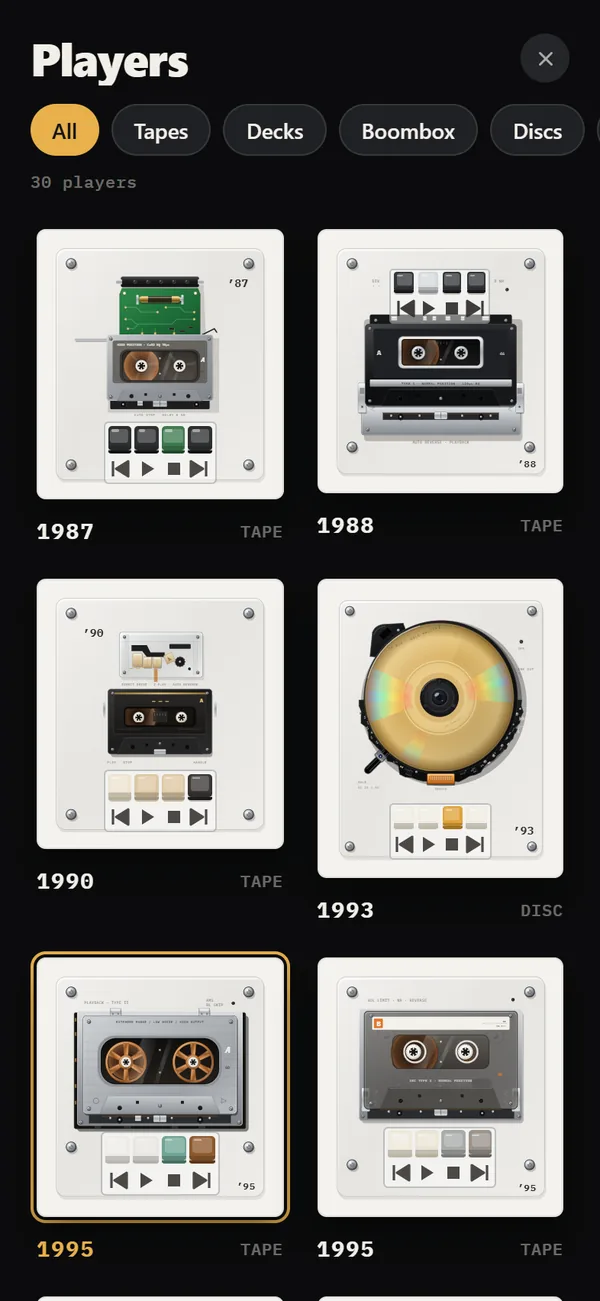
Which machine fits which era?
Machines are drawn in the style of their year, with the year printed in the corner. Use the year as your anchor.
Here are a few combinations that hold together.
| Mood | Machine | Why it works |
|---|---|---|
| Warm 80s living room | 1978 cassette deck | Silver front panel, latching piano keys, rolling counter, VU needles |
| Street, summer | 1985 boombox | Twin speakers that pump with the bass and LED level bars |
| Grey 90s commute | 1995 pocket cassette | The app's default machine; free |
| Late-night ritual | 1979 direct-drive turntable | Classic turntable that lets you scratch |
| Y2K desk | 2001 hard-drive player | Silver body, blue-backlit LCD and a round joystick you can drag to scrub |
How do you set up the screen, step by step?
The order matters: start with the largest element and finish with the smallest.
Color is the cheapest tool you have. Take the accent from one object in your wallpaper: the blue of an LCD backlight, the red of a power light, the teal of a 90s shell. A single matching color makes buttons, scene and wallpaper look like one design, even when the machine on screen is a different decade from the picture behind it.
- Choose a wallpaper that matches the era, then keep the rest of your home screen sparse.
- Open REWIND and tap the year title to see the catalog. Pick a machine that fits the mood.
- Choose an accent color. Buttons and the background take the color you pick, so take it from your wallpaper.
- Tap the background chip to cycle scenes, or long-press for the full list. Pick one that is calm enough to sit beside the machine.
- Switch on analog sound and keep the sliders low, as in analog sound.
Which animated scenes suit a retro look?
Of the 17 backgrounds, several lean retro by design. The synthwave horizon and the TV are obvious nods to the 80s. The VU meter and oscilloscope scenes feel like studio gear. The lava lamp suits a 70s room, and the tunnel and warp scenes fit a space-age mood.
Seven scenes are free, including VU, warp and notes. Others need REWIND PRO. Read more on the music visualizer page, or the longer music visualizer guide.
How do you make it work at night?
A setup you cannot use in the dark is only for photos. Night light keeps the screen on and dims everything except the machine, which makes it a good bedside object. Pair it with the sleep timer, which offers 15, 30, 45, 60 or 90 minutes, so the music ends on its own.
For controls without waking the screen, use the lock screen and Control Center. See lock screen controls for what is available, including headphone controls.
What should you leave out?
REWIND is an iPhone app only, with no widgets, no iPad, Mac or Watch version. If your idea of a perfect setup includes home screen widgets from this app, it will not happen. Keep the home screen simple and let the player carry the look.
Also keep the sound in check. Heavy effects look good in a screenshot and tire the ears. A little saturation and a touch of wobble are enough, and you can compare options in the equalizer presets: Flat, Warm, Bass, Vocal and Air.
Cost for the full set of machines and scenes is REWIND PRO: $2.99 weekly, $19.99 yearly after a 3-day trial, or $24.99 once. The free tier already has 8 machines to start with.
If you are unsure where to start, pick the default machine from 1995, the grey pocket cassette, and change one thing a week. A new accent color on Monday, a scene on Thursday, a mixtape on Sunday. A setup built slowly tends to fit you better than one assembled in an evening.
How do you photograph or record the setup?
If you plan to share a screenshot or screen recording, simplify first. Hide notifications with a Focus mode, charge the battery and pick a scene with strong contrast. A dark scene with a bright machine reads well in a small thumbnail.
Capture a moment of motion, such as the reels mid-turn or a needle on the VU meter. Keep sound off in the clip if you will post it with other music, since only the music you own the rights to belongs in public posts.
How do you keep the setup fresh?
Rotate rather than redesign. Change the machine with your mood, change the background with the season, and update the accent color when your wallpaper changes. The catalog is organized in groups of Tapes, Decks, Boomboxes, Discs, Vinyl and MP3, so it is easy to wander between eras.
Revisit the setup monthly. A good retro look is more about restraint than variety, and a single well-chosen machine usually beats a daily costume change. For a quieter, more personal ritual, pair it with a mixtape written for that mood.
Frequently asked questions
What is the best retro music player look for iPhone?
It depends on the era you like. REWIND draws 30 machines from 1968–2005, from cassette decks and boomboxes to turntables and early MP3 players.
Can I change the app's color?
Yes. The accent color setting recolors buttons and the background to match your wallpaper.
Does REWIND have home screen widgets?
No. It is an iPhone app without widgets, and it does not run on iPad, Mac, Android or Watch.
Can I use it in the dark?
Yes. Night light keeps the screen on and dims everything except the machine.
Which machines are free?
8 machines are free, mostly pocket cassette players and one CD player. The rest need REWIND PRO.
Keep exploring
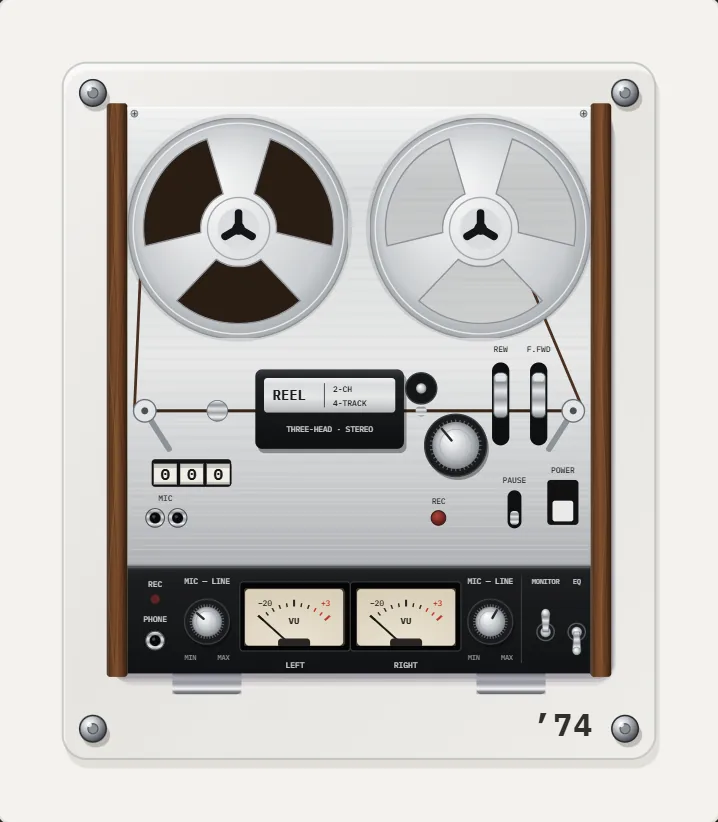 Night Light ModeScreen stays on, everything except the machine dims. A bedside music box.
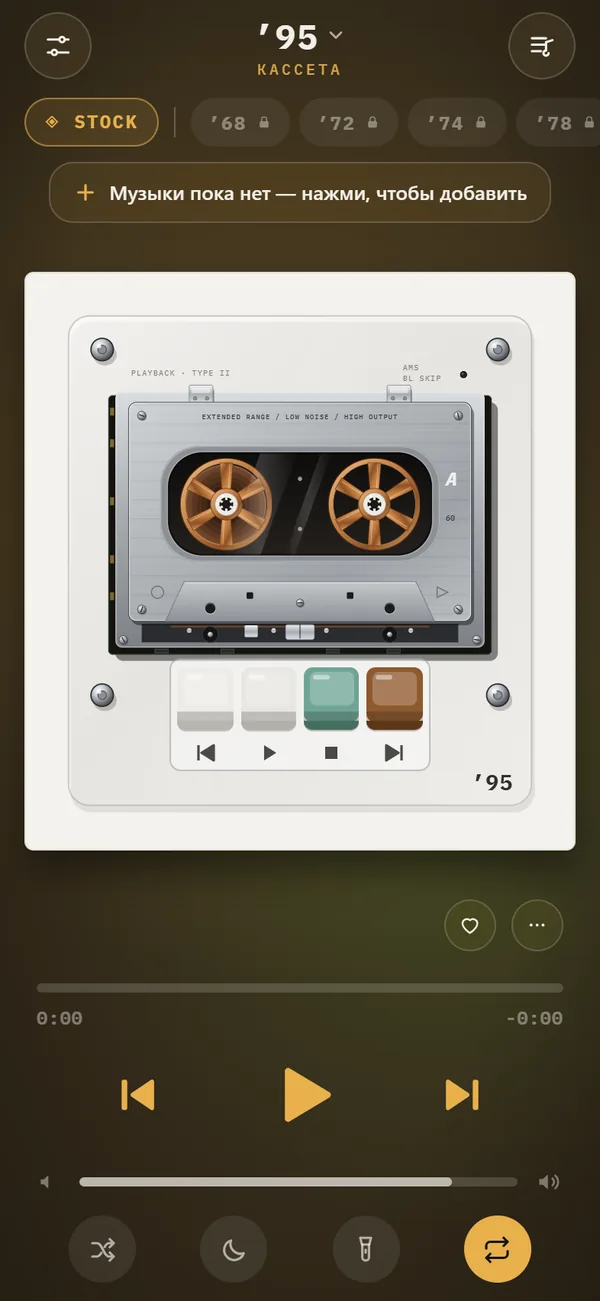 Music Visualizer Backgrounds for iPhone Player17 animated scenes that react to your music. Tap to cycle, long-press for the full list. Seven are free.
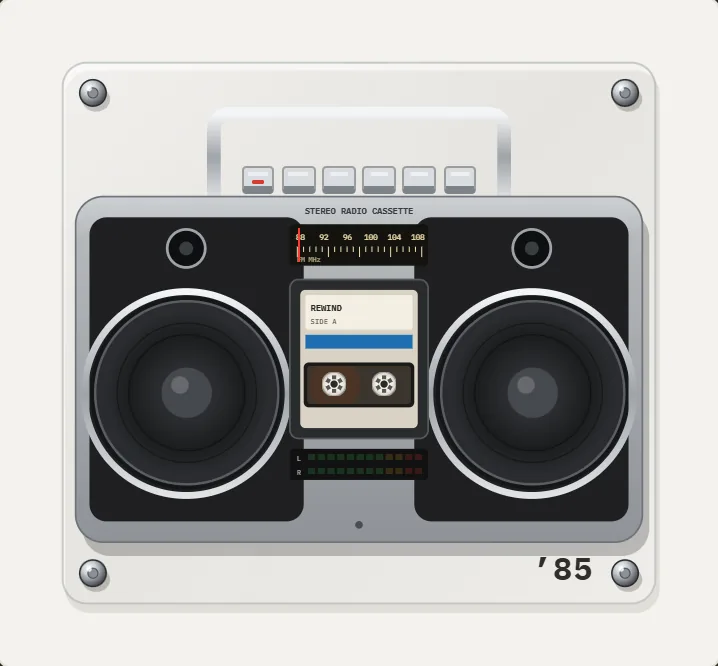 BoomboxesA 1980 portable and a 1985 stereo radio-cassette with bass-pumping speakers.
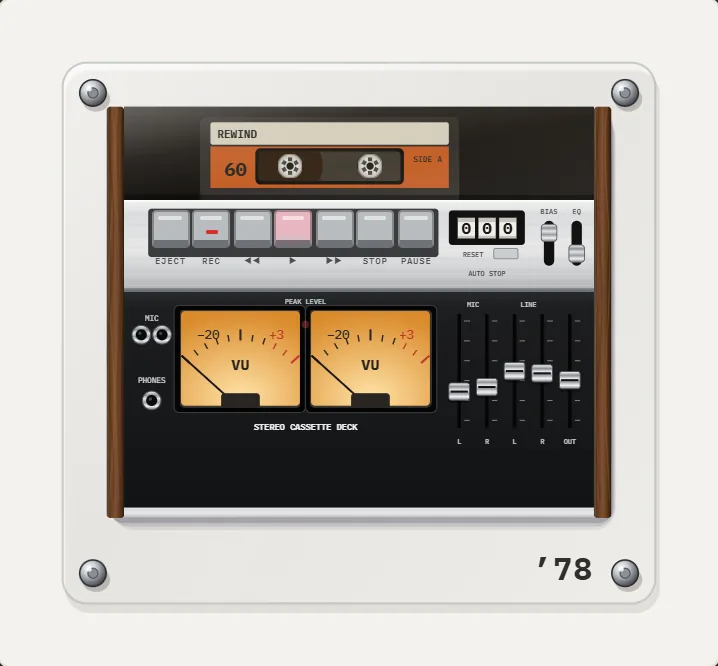 1978 Hi-Fi Cassette Deck App for iPhoneWalnut sides, smoked lid with your cassette, gray piano keys, counter and two amber VU meters. PRO.
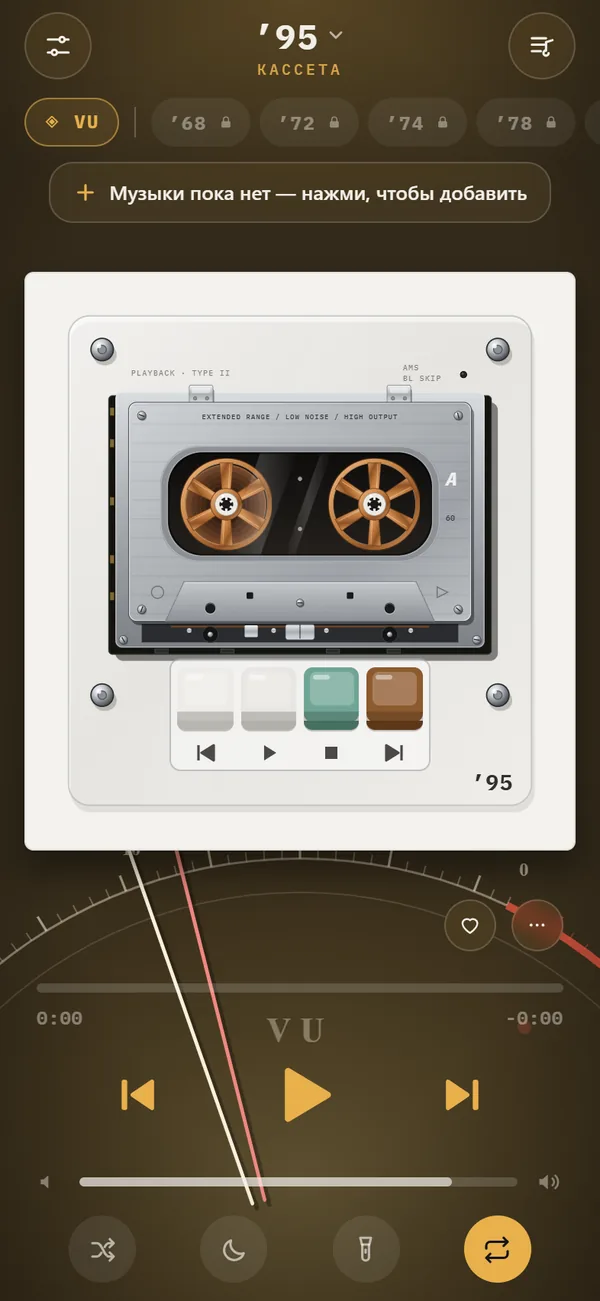 Music Visualizer App for iPhoneHow visualizers began, the main types, and how to choose a music visualizer app for iPhone that reacts to your own files.
 How to Make a Mixtape on iPhone, With a Handwritten LabelHow the mixtape tradition worked, and a step-by-step way to build one on iPhone with sequencing tips and a handwritten label.