 REWIND
How to Pick a Cassette Player App for iPhone
A good cassette player app for iPhone plays the music files you already own, draws a believable tape mechanism with turning reels, and adds tape character to the sound. It should work offline and let you wind the tape by hand. Here is how to judge one before you install it.
Download free on iPhoneSee all 30 machines
8 machines free forever · no account · works offline

Spin the reels with your finger · press ▶ ■
What is a cassette player app for iPhone?
It is a music player that borrows the look and behavior of a pocket tape machine. You load your own audio files, press a key, and watch reels turn in a drawn mechanism. The best ones also imitate what tape does to sound: a little warmth, a little wobble, a little hiss.
The idea only makes sense because the real thing is so well documented. Philips introduced the Compact Cassette at the Berlin Radio Show in August 1963, and the format settled on 3.81 mm tape running at 1.875 inches per second (Wikipedia: Cassette tape). Sony's first Walkman followed in 1979 and turned the cassette into something you wore on a walk (Wikipedia: Walkman). An app has a lot of reference material to be faithful to.
Which features matter, and which are decoration?
A cassette picture around a normal progress bar is a theme, not a tape player. Use this short list to tell the difference.
The first test is whether the mechanism responds to your hands. On a real pocket player you wind by pressing fast-forward and listening to the shuttle whine. In REWIND you swipe the cassette to wind and rewind it, and the reels turn while a song plays.
- Mechanics you can touch: swipe to wind, keys that press down and click.
- A real tape stop: pause should slide the pitch down instead of cutting the audio dead.
- Adjustable analog character: saturation, wobble and hiss as separate sliders you can set to zero.
- Your own files: MP3, M4A, FLAC and similar, imported from the Files app.
- Offline playback with no account and no ads.
Why do old cassettes sound the way they do?
Three physical effects make up most of the character. Tape saturation is the soft rounding of loud peaks when the magnetic coating runs out of headroom; we cover it in what tape saturation is. Wow and flutter are small speed errors from the motor and rollers, explained in what wow and flutter are. Hiss is the grain of the magnetic particles themselves.
Noise reduction was part of the story too. Dolby B, introduced in 1968, tamed cassette hiss, though a tape recorded with it can sound dull on a deck without it (Wikipedia: Dolby noise-reduction system).
REWIND's analog sound switch exposes four sliders for this: tape saturation, wobble, hiss and vinyl crackle. Everything is processed on the phone in real time, so nothing needs a network connection.
How does the choice of machine change the experience?
Cassette players were not one design. A 1980 portable recorder with a carry handle looks nothing like a late-90s pocket mechanism, and a home hi-fi deck from 1978 with latching piano keys is a different object again. If an app offers only one cassette, you will tire of it quickly.
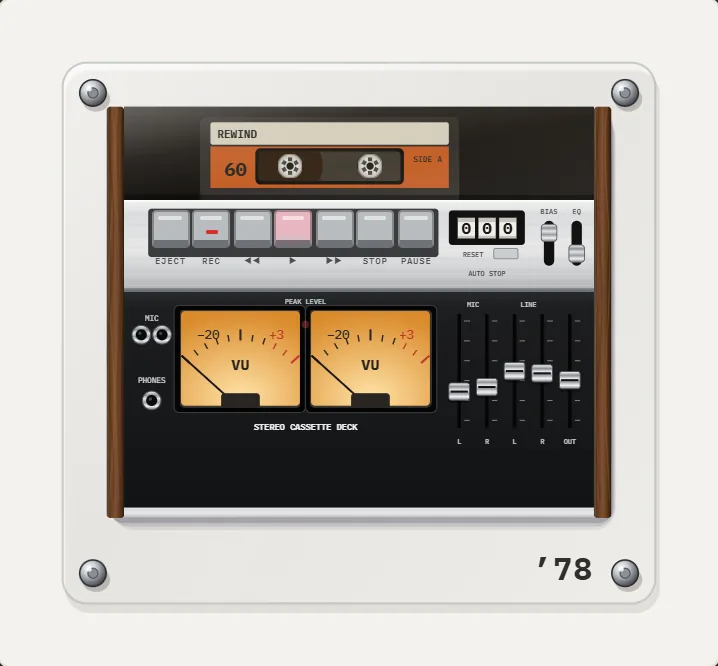
REWIND draws 10 pocket cassette machines, from the acrylic-plate mechanisms of 1987 and 1988 to the 1997 design, plus decks and boomboxes. The default is the 1995 pocket machine, and a ribbon of years lets you switch quickly. Browse them all on the cassette player page.
How do you set one up in five minutes?
The steps are nearly identical in any app that imports from the Files app.
- Install the app and open it. REWIND needs no account.
- Import a folder of music from the Files app. If a file lives in iCloud and is not downloaded yet, REWIND tells you so you can download it first. The full walkthrough is in how to add music files to iPhone.
- Pick a machine by tapping the year title, then press play.
- Open the analog sound controls and raise saturation and wobble a little at a time. Stop when it sounds pleasant, not broken.
- Make a mixtape with a handwritten-style label, as described in make a mixtape on iPhone.
What does it cost?
REWIND is a free download with an in-app purchase. The free tier keeps 8 machines, seven animated backgrounds, the analog sound controls, the equalizer and one mixtape. REWIND PRO unlocks every machine and background, Slowed + Reverb, Sped up, reverb depth, 8D audio, volume boost and unlimited mixtapes. Pricing is $2.99 weekly, $19.99 yearly with a 3-day free trial, or $24.99 once for lifetime. Full details are on the pricing page.
Nothing about playback depends on the purchase. You can judge the mechanics and the sound on the free machines before spending anything.
What are the honest limits?
An app imitates a cassette. It cannot give you the physical ritual of flipping a tape or the particular wear of a tape you recorded in 1994. REWIND also does not play streaming-service tracks, because Apple Music and Spotify downloads are DRM-protected; see DRM-protected music. It is built for files you own, and it is an iPhone app only.
If that matches how you listen, you can compare options on the best cassette player apps page.
How did the cassette become a pocket format?
The Compact Cassette began as a convenience format. Philips designed it in the early 1960s for dictation and simple home recording, and early machines were meant for speech, not for music. Improved tape coatings and noise reduction later pushed fidelity high enough for albums, and the format spread through car stereos, home decks and finally the pocket.
The jump came in 1979, when Sony's Walkman made private, portable listening an everyday habit (Wikipedia: Walkman). After that, makers competed on size, battery life and features, which is why REWIND's pocket machines look so different from one another across a decade. If you want the full timeline, read the history of the compact cassette, and for the reasons people are returning to the format, why cassettes are back.
Frequently asked questions
Can an iPhone app play real cassette tapes?
No. A cassette player app plays digital audio files stored on your phone and draws a tape machine around them. To play physical tapes you still need a tape deck and a way to digitize them.
Does a cassette player app work offline?
REWIND does. Playback needs no network, and the mechanical sounds are generated on the device. The internet is only used to download the app and load prices.
Which audio formats can I use?
REWIND plays MP3, AAC/M4A, ALAC, WAV, AIFF, FLAC and CAF files. Streaming-service downloads are DRM-protected and cannot be imported.
Can I turn the tape hiss and wobble off?
Yes. The analog sound section has separate sliders for saturation, wobble, hiss and crackle, and an on/off switch for the whole effect.
Is there a free cassette player app for iPhone?
REWIND is a free download that includes 8 machines, the equalizer and the analog sound controls. More machines and extras need REWIND PRO.
Keep exploring
Cassette players10 pocket cassette machines with turning reels, swipe-to-wind and tape stop.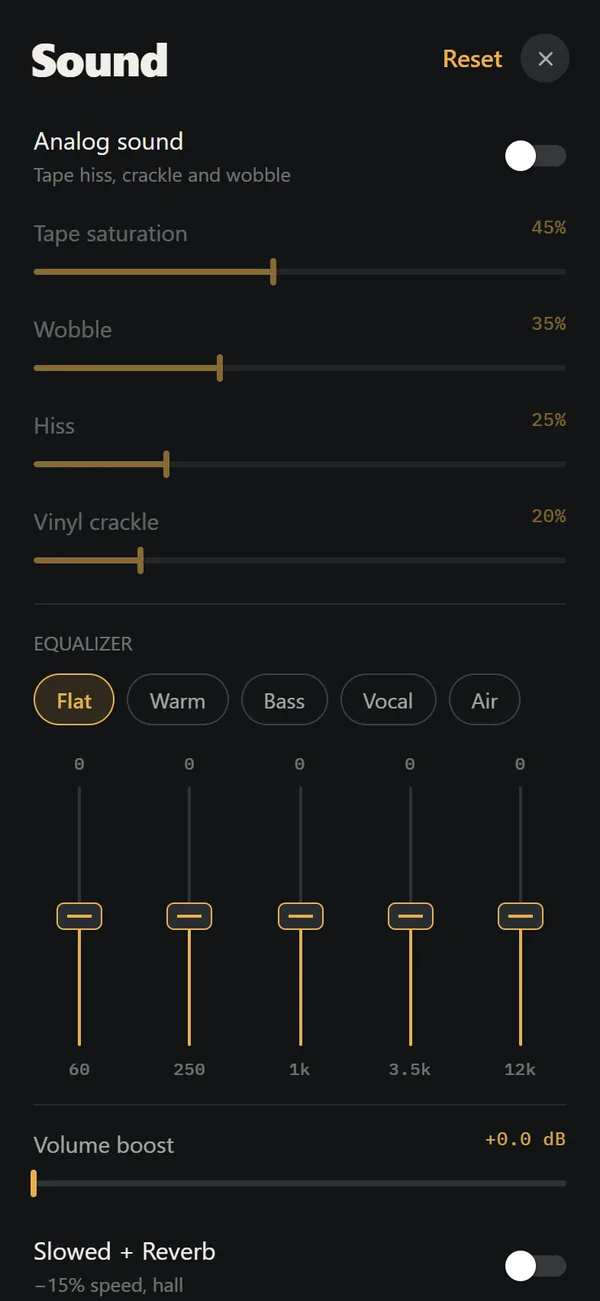 Analog Sound on iPhoneFour sliders (saturation, wobble, hiss, crackle), automatic machine sound and a lo-fi radio filter, live on your own files. Free.Tactile Retro ControlsSwipe to wind, finger to scratch, buttons that click, a real tape stop. Sounds are synthesized on device.1995 Cassette Player for iPhoneSilver chassis, copper six-spoke reels, brown tape pack. The default machine, free for everyone.Best Cassette Player Apps for iPhoneFive cassette player apps for iPhone compared on price, music sources, sound and App Store ratings, October 2026.
 What Is Tape Saturation? The Sound of Magnetic TapeThe physics of tape saturation, why bias exists, what harmonics it adds, and how to set a tasteful amount.