 REWIND
How to Make a Mixtape on Your iPhone
To make a mixtape on an iPhone, import your own audio files into a player that supports mixtapes, add tracks in the order you want, and write a label. In REWIND a mixtape is a playlist with a handwritten-style label you write yourself. The free version includes one tape, and PRO allows unlimited tapes.
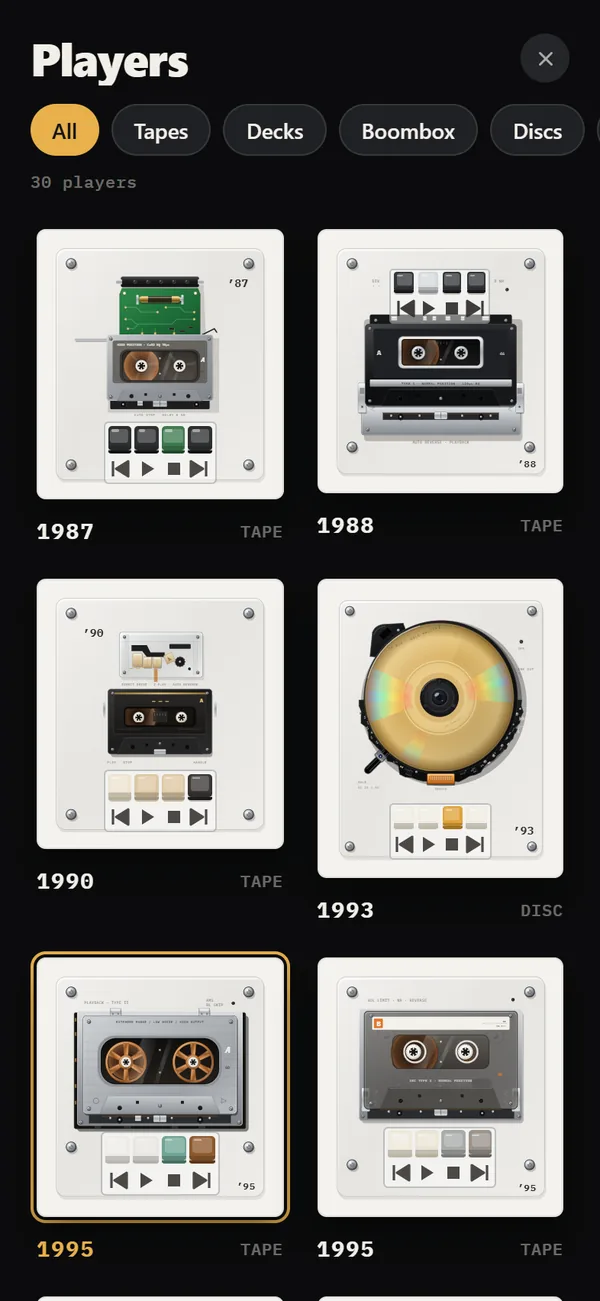
Download free on iPhoneSee all 30 machines
8 machines free forever · no account · works offline

What was a mixtape?
A mixtape was a personal compilation recorded onto a blank cassette, usually as a gift or a message. Blank cassettes came in standard lengths such as 60, 90 and 120 minutes, and a 90-minute tape gave you 45 minutes a side. The wider history of the form is in Wikipedia: Mixtape.
The medium forced decisions. You had two sides, a fixed amount of time and no shuffle. You chose the first song to hook, the last song of side A to hold someone through the flip, and a title for the paper insert. Those constraints made mixtapes feel personal.
What is a mixtape in REWIND?
A mixtape, called a tape in the app, is a playlist with a label. You write the label in a handwritten style, which is the part that makes it look like the thing you used to make. The free version includes one tape, and REWIND PRO allows unlimited tapes.
Tapes sit in your library alongside search, favorites, shuffle and repeat. The full picture is on the mixtapes page. A tape plays on whatever machine you choose, so the same tape can run on a 1987 cassette mechanism or a 1979 turntable.
How do you make one, step by step?
You need files on your phone first. If they are not there yet, read how to add music files to iPhone.
Write the label last, after you have listened once. The title that fits the finished tape is often not the one you planned at the start, and a handwritten style rewards short words. A name of two or three words fits better than a sentence, and you can change it later without rebuilding the tape.
- Decide on the point of the tape: a road trip, a person, a mood or a year. One idea per tape works best.
- Import your tracks from the Files app.
- Create a new tape in the library and add tracks one at a time in the order you want.
- Write the label: a title, a date or a short note.
- Play it on a machine that fits the mood. A pocket cassette suits a personal tape, and a boombox fits a party mix.
How should you sequence it?
Order matters more than song choice. These rules come from decades of tape makers, and they still work on a phone.
Think about the middle too. A tape sags when every song is a medium-tempo mood piece. Place one surprise around the halfway point, such as a cover version, an instrumental or a track from a different decade, so the listener sits up again. A tape is a short story with a plot, and the surprise is the turn.
- Open with a song people know within three seconds.
- Alternate energy: follow a loud track with a slower one.
- Vary the key and tempo from song to song instead of stacking similar tracks.
- Put a favorite near the end of what would have been side A.
- End on a track that feels like an ending, not just the last item.
How long should a tape be?
Digital playlists have no limit, so set one yourself. At three and a half minutes a song, 16 to 26 songs fill a classic 60 to 90 minute tape. Shorter tapes get finished. Aim for a length where you would still want to hear the whole thing.
| Cassette | Length | Per side | About how many songs |
|---|---|---|---|
| C60 | 60 min | 30 min | 16 to 18 |
| C90 | 90 min | 45 min | 24 to 26 |
| C120 | 120 min | 60 min | 32 to 36 |
How do you share a tape?
A tape lives inside the app on your phone. Streaming-service songs cannot be imported because they are DRM-protected, so to give someone the music, send them audio files you own the rights to, or play the tape for them in person.
If you like the nostalgic side of this, the pocket machines are worth browsing on the cassette player page, and the post on an aesthetic retro iPhone setup shows how to make the rest of the phone match.
One more idea: make a tape as a time capsule. Fill it with what you are playing this month, write the date on the label and leave it alone. When you open it again in a few years, it will bring that period back faster than a photograph.
What goes on the label?
The label was half the gift. People wrote a title, the date and sometimes a track list in cramped handwriting, then decorated the paper insert with drawings, cut-outs and ink. The title set the mood before a note played.
A good title is short and specific: a place, a month or an inside joke. Avoid generic words like "Chill". Put the date in too, because a tape is a snapshot of a moment, and in ten years the date matters more than the genre.
How do you make a better tape?
Treat it as a letter. Decide who it is for, even if that is you. Remove any track you would skip. Check the transitions, because the end of one song and the start of the next can be a clash or a joy.
Finally, play it once from start to finish on a machine you like. A tape that works on a pocket cassette player through headphones in the dark will work anywhere. If a track drags, drop it. If the last song lands, you are done.
Frequently asked questions
Can I make a mixtape on my iPhone?
Yes. In REWIND you build a playlist called a tape from your own files and write a handwritten-style label for it.
How many mixtapes can I make for free?
The free version allows one tape. REWIND PRO allows unlimited tapes.
Can I add Spotify or Apple Music songs to a tape?
No. Those tracks are DRM-protected and cannot be imported. Use DRM-free files you bought or ripped.
How long should a mixtape be?
The classic lengths were 60 or 90 minutes. For songs of three to four minutes, that is roughly 16 to 26 tracks.
Keep exploring
Make Mixtapes on iPhone with Handwritten LabelsPlaylists with a label you write yourself. One tape is free, unlimited with PRO.Offline Music Library for iPhoneImport folders or tracks from Files. Tags, cover art, search, favorites, shuffle and repeat. Offline. Cassette players10 pocket cassette machines with turning reels, swipe-to-wind and tape stop.How to Add Music Files to iPhone Without iTunesFour ways to get MP3, FLAC and M4A files onto an iPhone, and how to import a whole folder into a player.
 Aesthetic Retro iPhone SetupA practical recipe for a retro iPhone setup: choose an era, match colors, pick a machine and scene, and keep it usable.Where to Buy DRM-Free MusicWhere to get music as files you own: Bandcamp, iTunes, Qobuz, Amazon, Beatport and CD rips, plus how to check a file is DRM-free.