 REWIND
Music Visualizer App for iPhone: What to Look For
A music visualizer app for iPhone draws moving shapes that react to the song playing: bars, waves, oscilloscope traces or lava-lamp blobs. The best ones read your own music files in real time, work offline and stay readable at a glance. Here is how the idea began and how to choose one.
Download free on iPhoneSee all 30 machines
8 machines free forever · no account · works offline
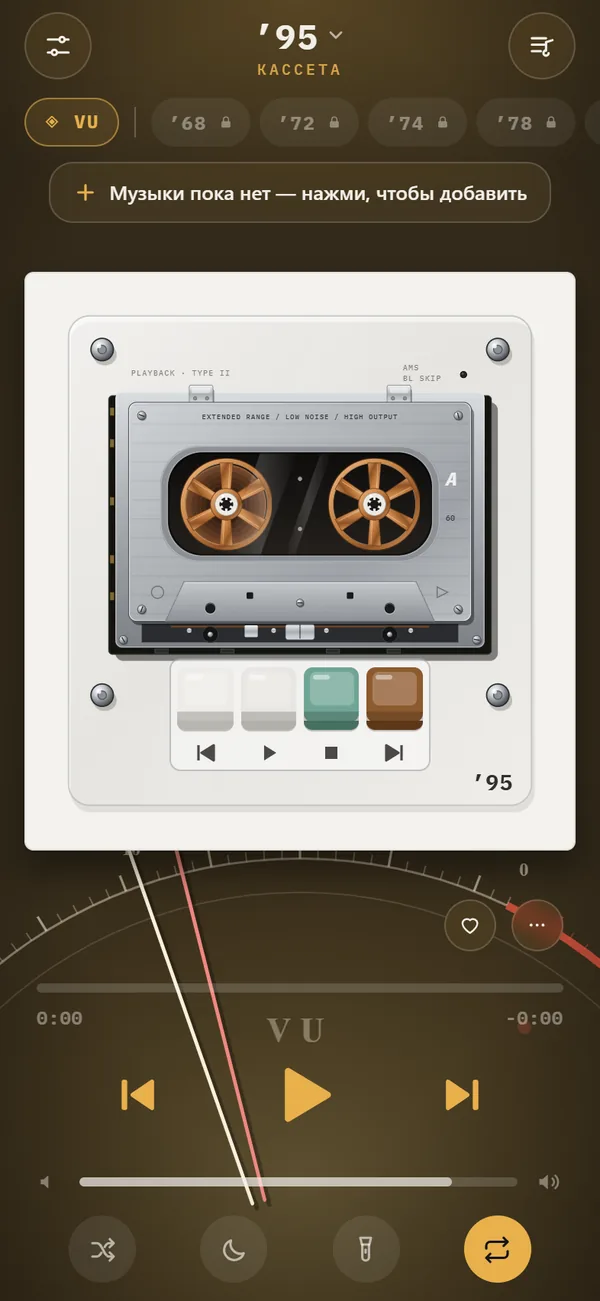
What does a music visualizer do?
It listens to the audio signal and turns its loudness and frequency content into graphics. Low frequencies often push shapes outward or pulse the screen, while highs flicker. A good one keeps time so closely that the picture feels like part of the song.
Visualizers have a longer history than screens. The Atari Video Music, released in 1976, was a console that plugged into a stereo and drew patterns to the sound (Wikipedia: Music visualization). Desktop players like Winamp, which appeared in 1997, later made plug-in visualizers a standard part of listening.
Where do VU meters and oscilloscopes fit in?
Two of the oldest visual styles were never meant as decoration. A VU meter is a needle that shows signal level. Its design was proposed in a 1940 paper by engineers from CBS, NBC and Bell Labs, and it responds deliberately slowly, with a rise time of 300 milliseconds, so it follows perceived loudness rather than instant peaks (Wikipedia: VU meter). An oscilloscope plots the waveform itself against time.
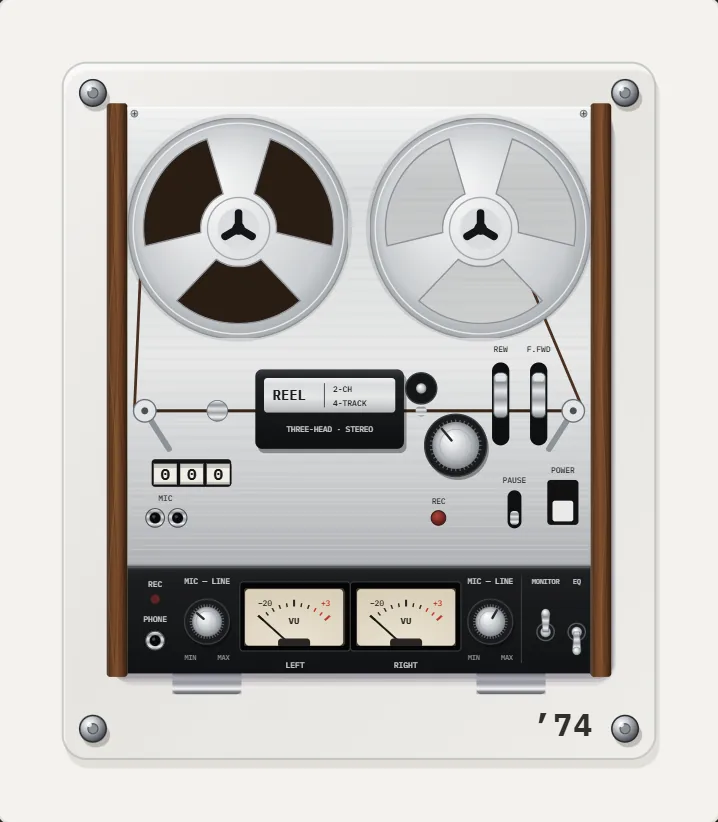
Both appear in REWIND as backgrounds called vu and scope, and the 1974 reel-to-reel recorder carries twin VU meters whose needles follow the music. If you like technical-looking visuals, start there.
Which visualizer styles does REWIND offer?
There are 17 animated scenes, and all of them react to the music. Seven are free: stock, pulse, bars, wave, vu, warp and notes. The other ten are part of REWIND PRO. That is enough free choice to learn what you like before paying for anything.
Roughly, the scenes fall into four groups. Tap the chip on the player screen to cycle through them, or long-press it for the full list.
| Group | Scenes | Mood |
|---|---|---|
| Meters and scientific | vu, scope, bars | Technical, studio-like |
| Flowing | wave, aurora, flow, ridge | Calm, atmospheric |
| Retro screens | synth (synthwave horizon), tv, tunnel, warp | Nostalgic, high energy |
| Organic and playful | lava (lava lamp), notes, pulse, rgb, groove, stock | Warm, relaxed |
How do you choose one for how you listen?
Match the visual to the use. For fast dance music, pulse, bars and warp keep time visibly. For slow, quiet listening, aurora and lava move gently and do not demand attention. For late nights, set a dim scene and turn on the night light, which keeps the screen on while dimming everything except the machine.
You can also set the accent color. Buttons and background take the color you pick, so the scene fits your wallpaper instead of fighting it.
Do visualizers drain the battery?
Any screen that stays on and animates uses power. Brightness is the biggest factor, followed by how complex the scene is. A bright animated screen for an hour costs more than a dark one. If you listen for long stretches, lower the brightness, use a calm scene, or let the screen sleep: playback continues in the background, and you can control it from the lock screen as described in lock screen controls.
REWIND does not publish a battery figure, so test it on your own phone.
How do you use it with your own songs?
The visualizer reads whatever is playing, so the setup is simply importing music.
A final point on taste. The most beautiful scene is rarely the busiest one. Pick one you can look at for a whole album without tiring, and keep a livelier one for parties. Switching is a tap, so you can have two favorites.
- Import your files from the Files app, as shown in how to add music files to iPhone.
- Start a song on any machine. The scene runs behind or around it.
- Tap the scene chip to cycle through styles, or long-press for the list.
- Pick an accent color so buttons and the scene match.
- Add the sound character you like in analog sound.
How does a visualizer know what the music is doing?
A visualizer typically breaks the audio into small slices and runs a Fourier transform to find how much energy sits at each frequency. Bass energy might drive the size of a shape, midrange might drive color, and treble might drive sparkle. The numbers are smoothed over time so the picture does not jitter.
An oscilloscope scene is simpler: it draws the waveform itself, time on the horizontal axis and amplitude on the vertical. It is the oldest honest picture of sound there is, and engineers used it long before anyone thought of visualizers as art.
What makes a good visualizer?
Three things: it follows the beat without lag, it stays interesting over a four-minute song, and it does not hide the controls. Lag breaks the illusion at once, because the eye is very sensitive to a delay between a sound and its picture.
Try the scenes with your own songs, not demos. A calm scene should stay calm on a quiet track and swell on a loud one. If it moves the same way on everything, it is not really listening. REWIND's scenes react to the music, and you can try the free ones first.
Frequently asked questions
What is the best music visualizer app for iPhone?
It depends on the mood. REWIND offers 17 scenes that react to your own music files, from VU meters and oscilloscopes to aurora and lava lamp, and works offline.
Does the visualizer work offline?
Yes. REWIND draws the scenes on the phone and needs no network for playback.
Which visualizers are free?
Seven are free: stock, pulse, bars, wave, vu, warp and notes. The rest need REWIND PRO.
Can I see a visualizer with Spotify or Apple Music songs?
Not in REWIND. Those tracks are DRM-protected and cannot be imported. Use files you own.
How do I switch scenes?
Tap the scene chip to cycle, or long-press it to see the full list.
Keep exploring
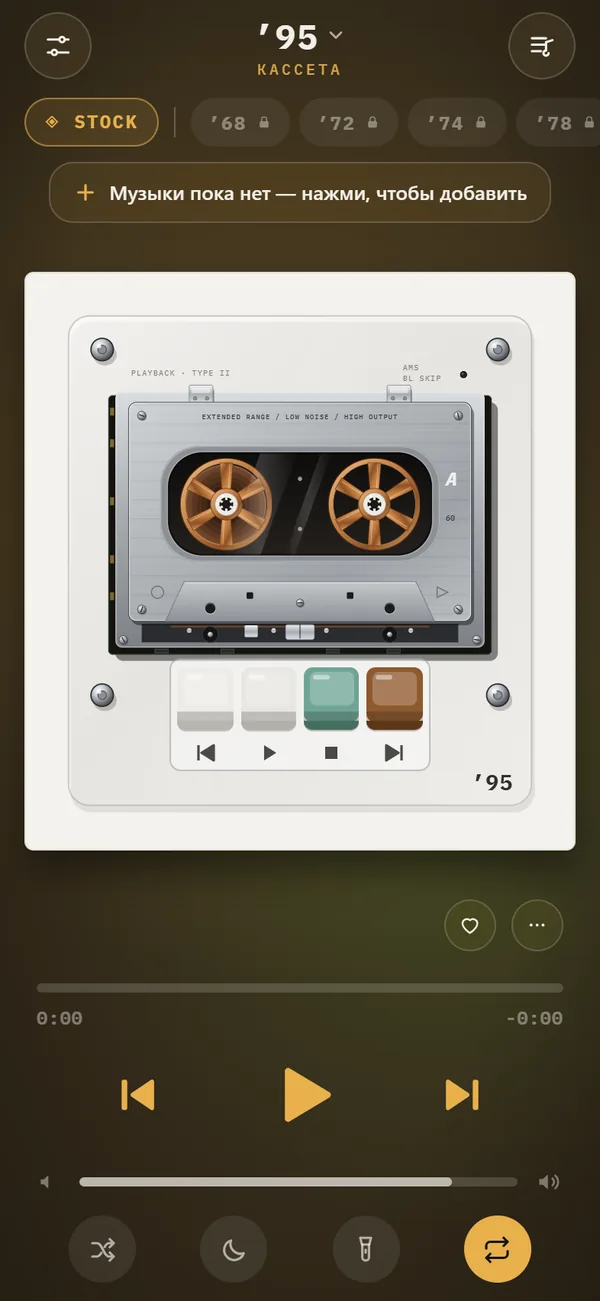 Music Visualizer Backgrounds for iPhone Player17 animated scenes that react to your music. Tap to cycle, long-press for the full list. Seven are free.
 Night Light ModeScreen stays on, everything except the machine dims. A bedside music box.
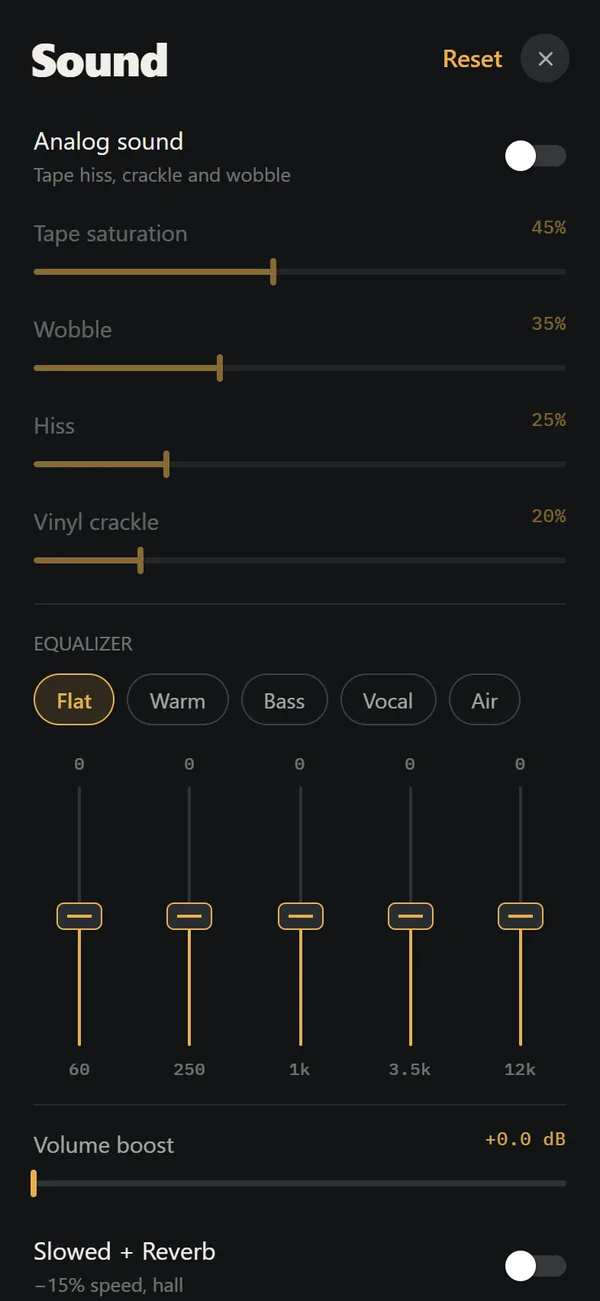 Analog Sound on iPhoneFour sliders (saturation, wobble, hiss, crackle), automatic machine sound and a lo-fi radio filter, live on your own files. Free.
 Aesthetic Retro iPhone SetupA practical recipe for a retro iPhone setup: choose an era, match colors, pick a machine and scene, and keep it usable.Reel-to-reelA 1974 reel-to-reel with walnut panels, moving tape and twin VU meters.