 REWIND
Best offline music player apps for iPhone
The best offline music player for iPhone is the one that matches your files and taste. Doppler and Flacbox suit big FLAC libraries, VLC plays almost anything, Evermusic reaches cloud folders, and REWIND shows your MP3s on retro machines. This list compares ten apps as of October 2026.
Download free on iPhoneSee all 30 machines
8 machines free forever · no account · works offline

Which offline music player should you choose?
Pick by what you want from the app. For a plain, sturdy player that handles FLAC and MP3 folders, try Doppler, Flacbox or Evermusic. For nearly any file type including video, use VLC. For cassette, vinyl, CD and MP3 machines on screen, try REWIND.
On October 10, 2026 we searched the US App Store for "offline music player", "mp3 player offline", "flac player" and "music player local files", then opened each listing through the iTunes lookup API. Prices and ratings move every week, so read the numbers as a snapshot. REWIND is made by the publisher of this site. We say so and list its limits next to everyone else's.
Offline music player apps at a glance
| App | Price on the App Store | Plays your own files | US rating (Oct 2026) | Good for |
|---|---|---|---|---|
| REWIND | Free download, PRO $2.99/week, $19.99/year or $24.99 once | MP3, AAC/M4A, ALAC, WAV, AIFF, FLAC, CAF | New, launching 2026 | Retro machines, tape and vinyl sound |
| Doppler MP3 & FLAC Player | Free; paid upgrades listed | Yes, many formats, local library | 4.6 from 1,569 ratings | Tidy library, artwork editing (needs iOS 26 or later per its listing) |
| Flacbox | Free; Premium $2.99/month, $19.99/year or $69.99 once | Yes, lossless and hi-res, plus NAS and cloud | 4.6 from 8,548 ratings | Hi-res files, equalizer |
| Evermusic | Free (Evermusic Pro is a separate $39.99 app) | Yes, plus cloud services | 4.6 from 19,115 ratings | Moving a library to cloud storage |
| VOX | Free | Yes, lossless and lossy, plus streaming sources | 4.2 from 3,154 ratings | Lossless collections, Mac companion |
| VLC media player | Free | Most formats, video too | 3.7 from 5,970 ratings | Anything that other players refuse |
| foobar2000 | Free | MP3, AAC, Vorbis, Opus, FLAC, WavPack, WAV, AIFF | 4.5 from 201 ratings | Gapless playback, ReplayGain |
| Melodista | Free; Pro unlock $8.99 | Files app and cloud imports | 4.5 from 39,288 ratings | Folder playlists, no interrupting ads per its listing |
| Shufl FM | Free; lifetime premium $24.99 | Imported files | 4.6 from 2,232 ratings | Focus mode that blocks other apps |
| Offline Music Player (Md Zakir Hossain) | Free; in-app purchases | MP3, FLAC, WAV, CAF, AAC and more | 4.6 from 60,029 ratings | Simple import and playlists, needs iOS 18 or later |
Free to download does not always mean free to use. Several of these apps sell upgrades or show ads. Open the "In-App Purchases" list on each listing before you commit.
REWIND: your files on 30 retro machines
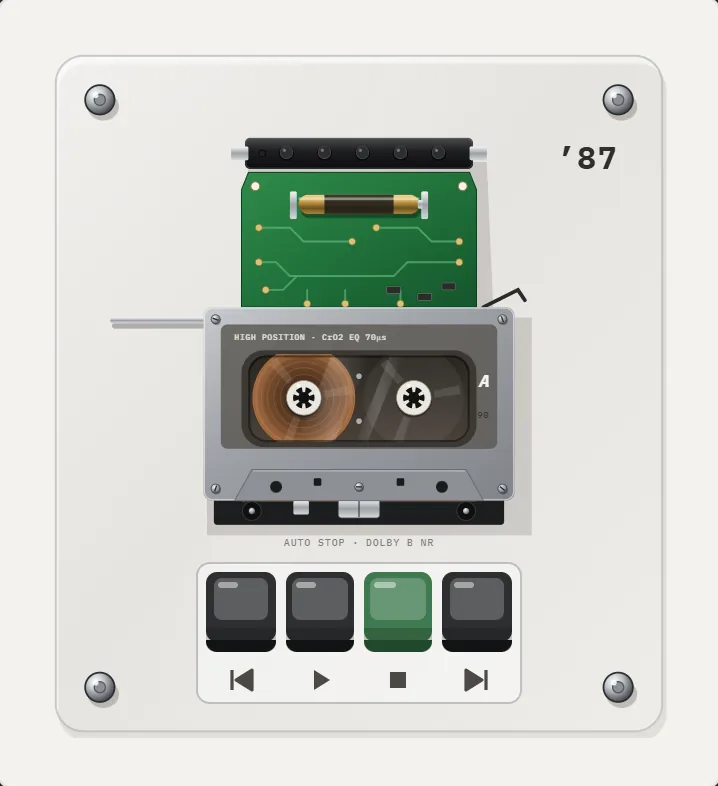
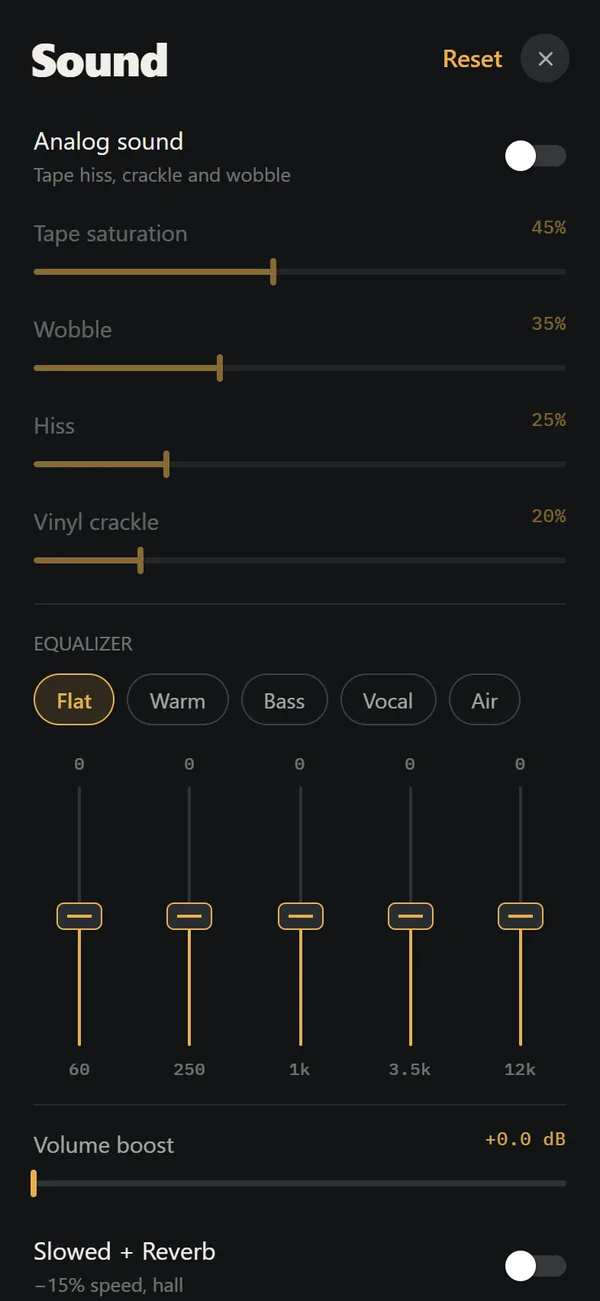
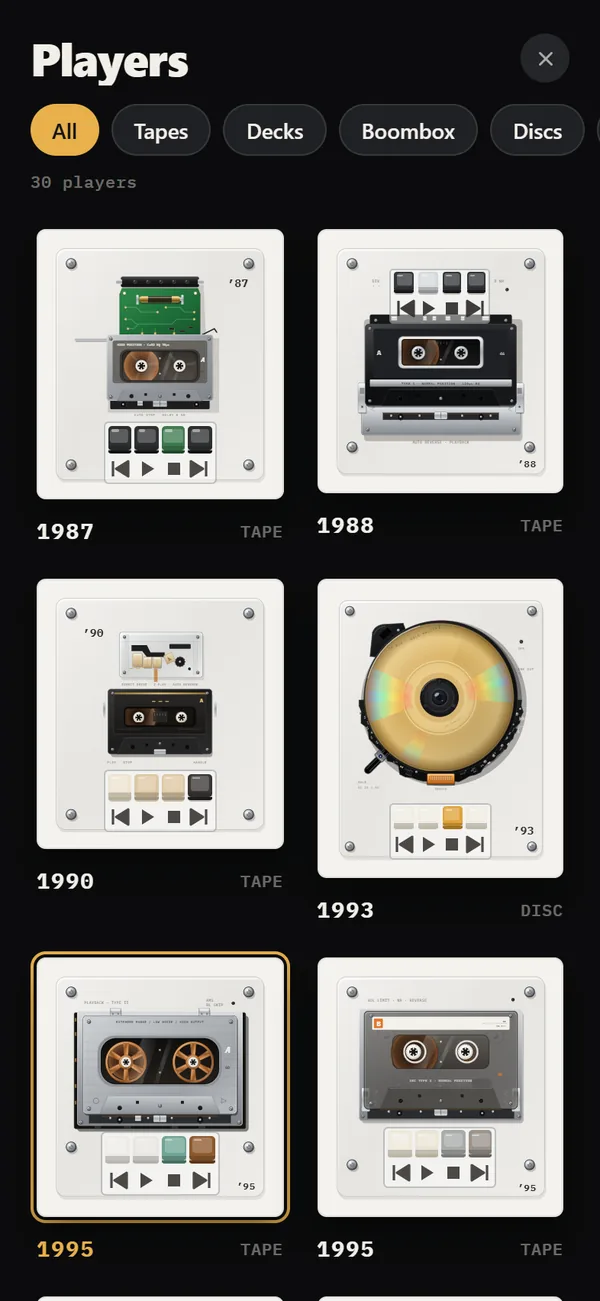
REWIND plays the files you import from the Files app on cassette players, a reel-to-reel, a hi-fi deck, boomboxes, portable CD players, turntables and early digital players, 30 machines in all, from 1968–2005. The analog sound section adds tape saturation, wobble, hiss and vinyl crackle, and there is a five-band equalizer. It needs no account, shows no ads and collects no data, and it plays without a connection.
Honest limits: it is iPhone only, it is not bit-perfect or hi-res, it does not play Apple Music or Spotify downloads, and it has no cloud-service browser. Slowed + Reverb, Sped up, reverb depth, 8D audio, the volume boost and most machines belong to PRO. 8 machines, analog sound, the equalizer and one mixtape stay free. The longer story is on the offline music player page.
Doppler, Flacbox and Evermusic: the library tools
Doppler describes itself as a FLAC and MP3 player that keeps music and playlists local, lets you edit artwork and tags without syncing, and imports new files automatically. Its listing requires iOS 26, so older iPhones are out. Flacbox, from the developer behind Evermusic, plays lossless and hi-res files, streams from a NAS or cloud, and has an equalizer with presets. Evermusic leans harder on the cloud: it connects to storage services and lets you move a library off the phone and stream it back or save songs for offline listening.
All three are free to download. Flacbox sells Premium, Doppler lists paid upgrades, and Evermusic Pro is a separate $39.99 app. For head-to-head details, read REWIND vs Flacbox and REWIND vs Evermusic.
VLC, VOX, foobar2000 and Melodista: the all-rounders
VLC is open source and plays most audio and video formats, with Wi-Fi sharing and cloud sync. It is the safest fallback when a file will not open elsewhere. VOX advertises FLAC, APE, WAV, ALAC, MP3, WMA and OGG with a custom audio engine, and also reaches streaming sources. foobar2000 is the minimalist pick: gapless playback, ReplayGain and skin files. Melodista keeps things simple with folder playlists and a sleep timer.
For a comparison with each, see REWIND vs VLC, REWIND vs VOX and REWIND vs Doppler.
How do you play music offline on iPhone with any of these apps?
The same steps are explained in more detail in how to add music files to iPhone and play music offline on iPhone.
- Get your files. Use music you bought as downloads, CD rips, Bandcamp purchases or your own recordings. Streaming downloads from Apple Music or Spotify are protected and no third-party player can open them.
- Put the files in the Files app. Copy them to iCloud Drive or "On My iPhone", or save them from a download link.
- Download anything that shows a cloud icon. A file that lives only in iCloud cannot be copied until it is downloaded.
- Open your chosen player and import a folder or single tracks from Files.
- Test it in airplane mode. If the song plays, the app is truly working offline.
What should you check before installing an offline player?
- Minimum iOS version on the listing. Doppler asks for iOS 26, a popular generic player asks for iOS 18, REWIND asks for iOS 16.4.
- The In-App Purchases list. Some apps are free to install but lock playlists, themes or removal of ads behind a payment.
- The date of the last update. An app untouched since 2022 may break with a new iOS release.
- How it stores files. Some copy imported files into the app, which uses space twice if you keep the originals; others read the Files app in place.
- Whether it asks for an account. A pure offline player should not.
What about the apps that are not on this list?
The App Store has dozens of generic players with names like "Offline Music Player" or "MP3 Player", and many look like rebrands of the same template. We left out apps with very few ratings or no recent updates. Always check the minimum iOS version, the in-app purchase list and the date of the last update. Even a popular app can exclude your phone: one generic "Offline Music Player" with 60,029 ratings requires iOS 18.
Sources: iTunes Search and Lookup API for the US store, queried on October 10, 2026, and each app's public App Store listing.
Frequently asked questions
What is the best offline music player for iPhone?
It depends on your files. Doppler, Flacbox and Evermusic are strong for large FLAC and MP3 libraries, VLC plays the widest range of files, and REWIND is for people who want their own music on retro tape, vinyl and CD machines.
Can I play music on iPhone without internet or Wi-Fi?
Yes. Import files you own through the Files app into any offline player, and they play with no connection. Streaming downloads from Apple Music or Spotify only play inside their own apps.
Is there a free offline MP3 player for iPhone with no ads?
Several are free downloads. REWIND shows no ads and keeps 8 machines, analog sound and the equalizer free. Melodista advertises no interrupting ads in its listing. Always check the listing for ads and in-app purchases.
Does iPhone have a built-in MP3 player?
Not as a separate app. The Music app plays songs synced to the phone, and the Files app can preview an MP3. A dedicated offline player is easier for folders of your own files.
Do offline music players work with Apple Music downloads?
No. Apple Music downloads are DRM-protected and live inside the Music app. See DRM-protected music for what works instead.
Keep exploring
 Offline Music Player for iPhone, No AccountNo network, no account, no ads, no tracking. Your files stay on the iPhone.How to Add Music Files to iPhone Without iTunesFour ways to get MP3, FLAC and M4A files onto an iPhone, and how to import a whole folder into a player.
 How to Play Music Offline on iPhone, Any TimeStreaming downloads versus owned files for offline listening on iPhone, with a setup guide and a plane-ride checklist.
 REWIND vs FlacboxFlacbox is a format-hungry hi-res player with a DSP chain. REWIND is a retro machine player for common formats.
 REWIND vs VLC on iPhoneVLC plays almost any media and streams from servers. REWIND focuses on your own music files and retro machines.DRM-Protected MusicWhy streaming downloads cannot be imported, and which DRM-free sources work.