 REWIND
REWIND vs Evermusic: a cloud music player or a retro one?
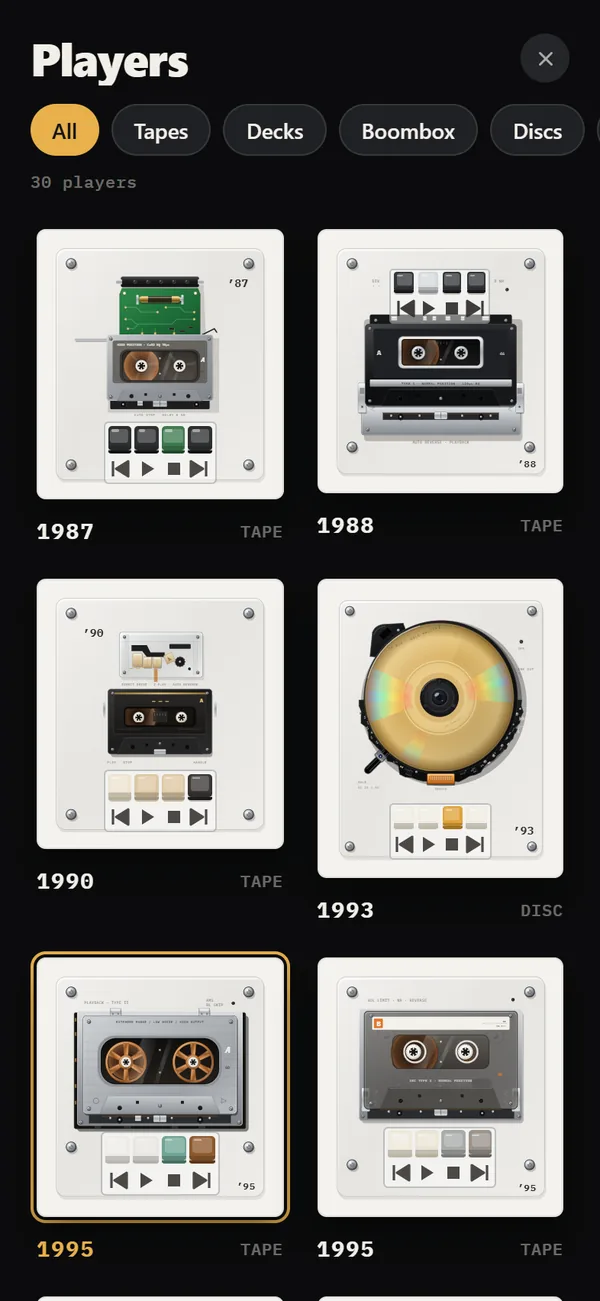
Evermusic plays music from cloud drives, NAS boxes and media servers as well as from the phone, on iPhone and iPad. REWIND plays files you import and stores them on the phone, but shows them on 30 retro machines. Choose Evermusic for where your music lives, REWIND for how it looks and sounds.
Download free on iPhoneSee all 30 machines
8 machines free forever · no account · works offline

What is the main difference?
Evermusic is a file-and-server player. Its App Store listing describes connections to iCloud, Google Drive, Dropbox, OneDrive, pCloud, MEGA, Internxt and Proton Drive, to Plex, Subsonic, Navidrome, Jellyfin and Emby servers, and to computers or a NAS over SMB, WebDAV, DLNA, FTP, SFTP and NFS. REWIND has none of those connections. It imports files from the Files app and copies them into the app.
Competitor facts on this page were checked on October 10, 2026 against the App Store listing and the developer's own site. Apps change, so verify before you buy.
REWIND vs Evermusic at a glance
| REWIND | Evermusic | |
|---|---|---|
| Where music comes from | Files app import, copied into the app | Cloud services, media servers, NAS, computer transfer, offline downloads |
| Interface | 30 animated retro machines (1968–2005) | No retro machines listed |
| Equalizer | 5-band with presets | Equalizer with genre presets and manual settings |
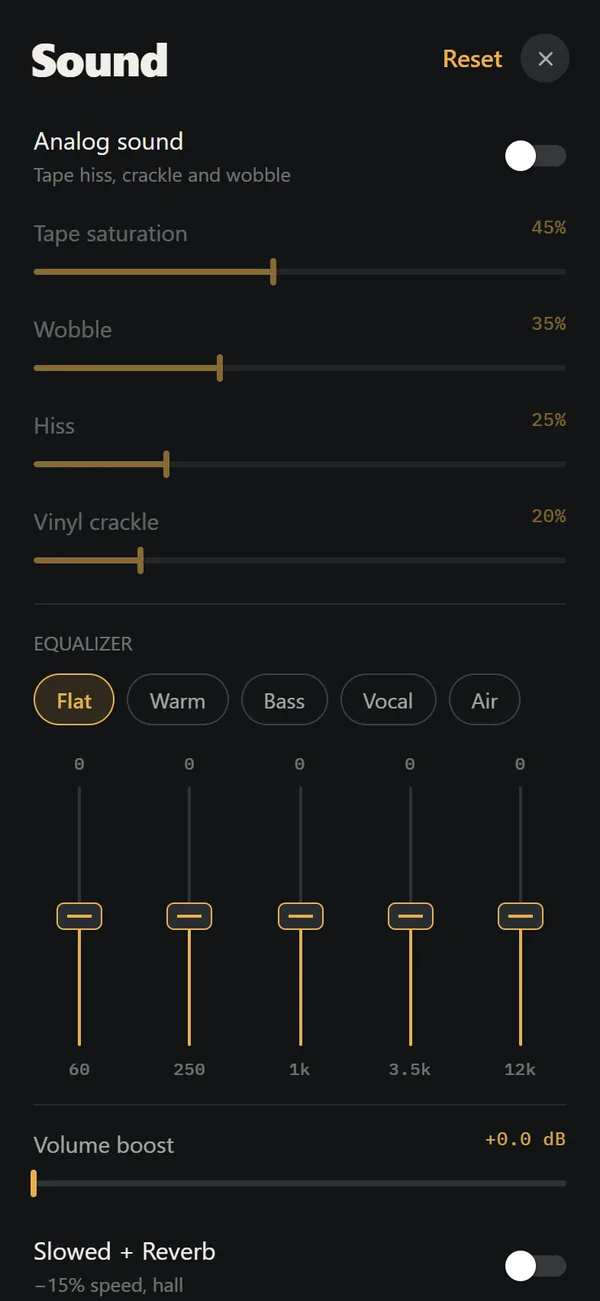
| Effects | Analog sound, machine sound, lo-fi radio, slowed + reverb, sped up, 8D audio and volume boost (PRO) | Reverb, delay, distortion, spatial audio, volume normalization |
| Gapless / crossfade | Not claimed | Both, per its listing |
| Visualizer | 17 music-reactive backgrounds | Full-screen visualizer presets |
| Lyrics | Title and artist on labels | Embedded timed lyrics |
| Casting and car | Lock screen and headphone controls | AirPlay, Chromecast, CarPlay and Home Screen widgets |
| Devices | iPhone only | iPhone and iPad on the App Store; Mac per its site |
| Minimum iOS | iOS 16.4 | iOS 15.5 per its listing |
| Price model | Free download; PRO $2.99 weekly, $19.99 yearly, $24.99 lifetime | Free download; Premium $1.99 monthly, $12.99 yearly, $59.99 lifetime (US App Store, October 2026) |
| US App Store rating | New app, launching 2026 | About 4.6 stars from roughly 19,000 ratings (October 2026) |
What does Evermusic do better?
If your library sits on a NAS, a Plex server or a cloud drive, Evermusic can play it from there and cache songs for offline use, which saves phone storage. REWIND needs every track copied onto the phone. Evermusic also lists gapless playback, crossfade, AirPlay, Chromecast, CarPlay, widgets and timed lyrics. It supports iPad and an older minimum iOS version (15.5, against 16.4 for REWIND).
It is also the more established app by rating volume. The US listing shows about 4.64 stars from over 19,000 ratings. REWIND launches in 2026 and has no ratings history yet.
What does REWIND do better?
REWIND is about the machine. The same song can play on a 1974 reel-to-reel recorder, a 1987 cassette mechanism, a 1993 portable CD player or a 1979 direct-drive turntable. Reels turn, the tonearm tracks the record, and buttons click with haptics. Start with the cassette player or the vinyl record player.
REWIND keeps things simple: no cloud accounts to connect, no network needed for playback, and no data collected. Evermusic has a visualizer too, so REWIND's 17 backgrounds are a matter of taste. The analog sound controls (saturation, wobble, hiss, crackle) are REWIND's own. The lifetime price is lower as well: PRO is $24.99, and Evermusic Premium lifetime is $59.99 on the App Store, though the two unlock different features.
Who should pick which?
- Choose Evermusic if your music lives on a NAS, media server or cloud drive.
- Choose Evermusic if you want crossfade, CarPlay, Chromecast or iPad support.
- Choose REWIND if your music is already on the phone and you want it to feel like a cassette, CD or record.
- Use both: Evermusic for the big library, REWIND for a curated folder you love.
Sources, checked October 10, 2026: Evermusic on the App Store, Everappz: Evermusic.
Frequently asked questions
Is REWIND an Evermusic alternative?
For local files with a retro look, yes. For cloud, NAS and media server playback, no: REWIND only plays files copied into the app.
Can REWIND play music from Dropbox or Google Drive?
Not directly. Download the files first, then import them from the Files app.
Does Evermusic have retro machines?
Its App Store listing describes a standard player with equalizer, effects and a visualizer. It does not list retro machine skins.
Which one needs a subscription?
Neither requires one to download. REWIND PRO has a $24.99 lifetime option. Evermusic lists Premium at $1.99 monthly, $12.99 yearly and $59.99 lifetime on its App Store page (October 2026).
Keep exploring
Offline Music Library for iPhoneImport folders or tracks from Files. Tags, cover art, search, favorites, shuffle and repeat. Offline. Offline Music Player for iPhone, No AccountNo network, no account, no ads, no tracking. Your files stay on the iPhone.
 REWIND vs FlacboxFlacbox is a format-hungry hi-res player with a DSP chain. REWIND is a retro machine player for common formats.
 REWIND vs VOXVOX adds streaming services, radio and a cloud. REWIND keeps to offline files on retro machines.Supported Audio Formats in REWIND for iPhoneSupported audio formats and what to do about DRM-protected music.How to Add Music Files to iPhone Without iTunesFour ways to get MP3, FLAC and M4A files onto an iPhone, and how to import a whole folder into a player.