 REWIND
REWIND vs Doppler: a tidy library or a tactile one?
Doppler is an offline player for people who buy and organize music, with metadata editing, artwork search and file transfer from a Mac. REWIND plays imported files on 30 retro machines. Doppler needs iOS 26 or newer; REWIND runs on iOS 16.4 or later.
Download free on iPhoneSee all 30 machines
8 machines free forever · no account · works offline

What is the main difference?
Doppler's own site calls it a player for people who buy music: no conversion, no configuration, and built-in helpers for artwork and album merging. REWIND is also offline and also plays files you own, but its design goal is a physical, nostalgic player rather than library housekeeping.
Competitor facts on this page were checked on October 10, 2026 against the App Store listing and the developer's own site. Apps change, so verify before you buy.
REWIND vs Doppler at a glance
| REWIND | Doppler | |
|---|---|---|
| Positioning | Retro machines for your own files | Offline player and library organizer for bought music |
| File types | MP3, AAC/M4A, ALAC, WAV, AIFF, FLAC, CAF | MP3, FLAC, AAC, M4A, WAV and more, per its listing |
| Library tools | Tags and cover art read from files, search, favorites, mixtapes | Metadata editing, artwork search, merge albums, liked songs, recently added |
| Getting music in | Files app import | Wi-Fi, USB and AirDrop, plus Doppler Transfer to and from a Mac |
| Interface | 30 animated retro machines | Adaptive design that matches the music |
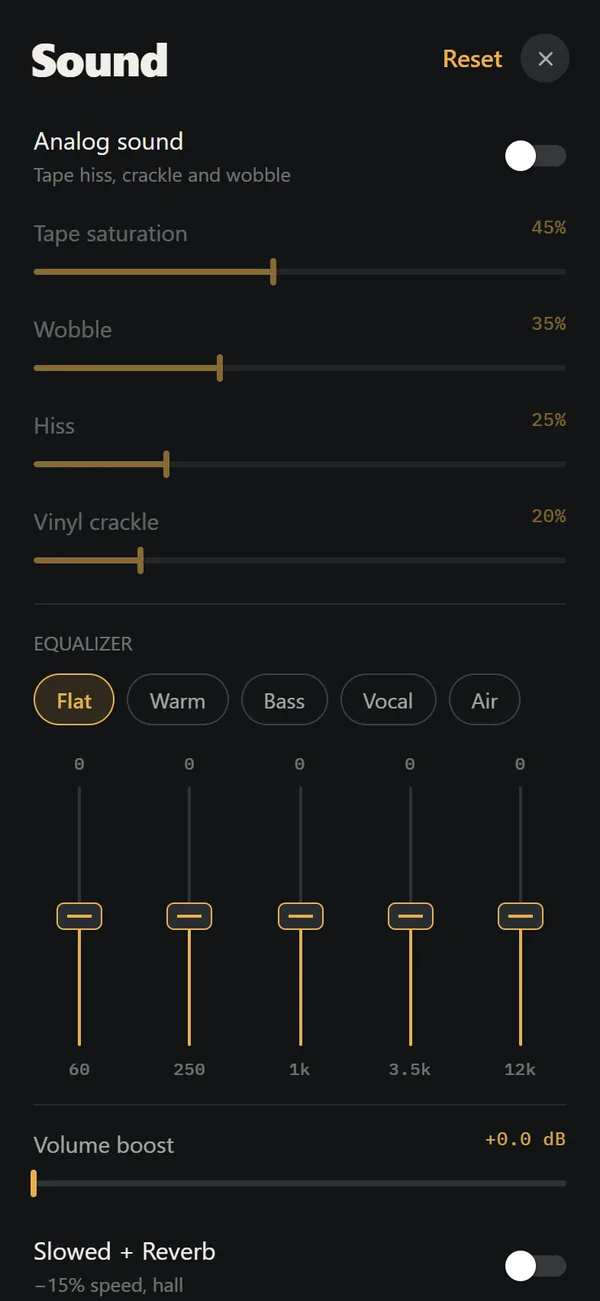
| Sound | Analog sound, machine sound, lo-fi radio, 5-band equalizer, slowed + reverb, sped up, 8D audio (PRO) | Not detailed in its listing |
| Extras | Sleep timer, night light, backgrounds | CarPlay, AirPlay 2, Last.fm |
| Minimum iOS | 16.4 | 26.0 |
| Mac version | No | Yes (macOS 11 or newer, $30 on its site) |
| Price on iPhone | Free download; PRO lifetime $24.99 | Free download with a 7-day trial per its site; App Store lists a "Doppler 3" in-app purchase at $9.00 |
| US App Store rating | New app, launching 2026 | About 4.6 stars from roughly 1,600 ratings (October 2026) |
What does Doppler do better?
Doppler is stronger on library care. You can edit titles and artwork on the phone, merge multi-disc albums, fetch missing covers, and move music and playlists between a Mac and an iPhone. It also lists CarPlay, AirPlay 2 and Last.fm, and it has a Mac app. The App Store lists a $9.00 in-app purchase named Doppler 3 next to the free download, and the site mentions a 7-day trial. The Mac app costs $30 on its site. Check what each covers before comparing with REWIND's $24.99 lifetime PRO.
The trade-off is the iOS requirement. Doppler's site says the iPhone app needs iOS 26 or newer, which excludes iPhones that cannot update. REWIND supports iOS 16.4 and later.
What does REWIND do better?
REWIND adds personality. 30 machines run from a 1968 suitcase turntable to a 2005 portable CD player, with analog sound, mixtape labels you write by hand and 17 backgrounds. 8 machines are free. Doppler's listing describes a design that adapts to your music, not a hardware look.
REWIND also reads tags and cover art from your files and shows them on the machines, so a tidy library still pays off. It does not edit metadata.
Who should pick which?
- Choose Doppler if you curate a purchased library, want to edit tags on the phone, or use a Mac.
- Choose Doppler if you use CarPlay or Last.fm.
- Choose REWIND if you want the library to look like cassettes, CDs and records, or your iPhone cannot run iOS 26.
- Use Doppler to tidy tags on a computer first, then play the same files in REWIND.
Sources, checked October 10, 2026: Doppler on the App Store, Brushed Type: Doppler.
Frequently asked questions
Does REWIND edit song tags like Doppler?
No. REWIND reads tags and cover art from your files but does not edit them. Doppler lists metadata editing and artwork search.
What iOS version does Doppler need?
Doppler's site says the iPhone app requires iOS 26 or newer (October 2026). REWIND supports iOS 16.4 or later.
Does Doppler have retro machines?
Not according to its listing or site, which describe an adaptive design that matches your music.
Can I use both apps with the same files?
Yes. Both play files you own. Import the same folder into each and compare.
Keep exploring
Offline Music Library for iPhoneImport folders or tracks from Files. Tags, cover art, search, favorites, shuffle and repeat. Offline.Supported Audio Formats in REWIND for iPhoneSupported audio formats and what to do about DRM-protected music.Make Mixtapes on iPhone with Handwritten LabelsPlaylists with a label you write yourself. One tape is free, unlimited with PRO.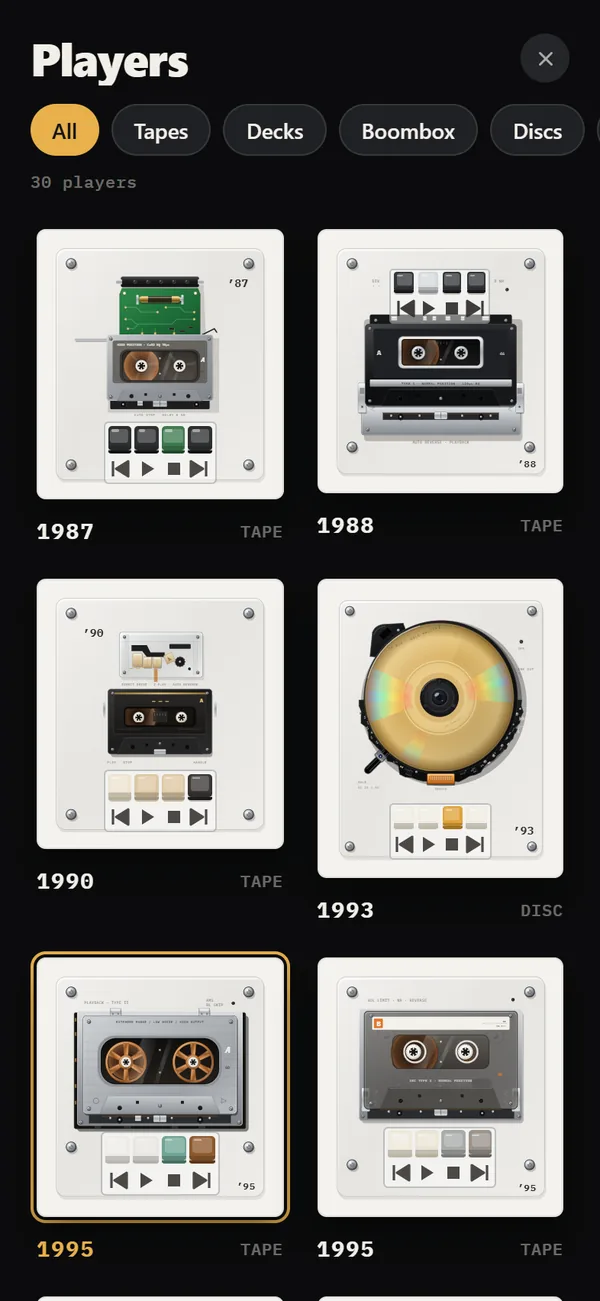 REWIND vs VOXVOX adds streaming services, radio and a cloud. REWIND keeps to offline files on retro machines.
 REWIND vs FlacboxFlacbox is a format-hungry hi-res player with a DSP chain. REWIND is a retro machine player for common formats.How to Add Music Files to iPhone Without iTunesFour ways to get MP3, FLAC and M4A files onto an iPhone, and how to import a whole folder into a player.