 REWIND
iPod app for iPhone: can you turn your iPhone into an iPod?
There is no official iPod app that turns an iPhone into an iPod. An iPhone already does the same job through the Music app, and a few independent apps copy the click-wheel look. REWIND does not copy the click wheel. Its nearest machines are a 1998 flash MP3 player and a 2001 hard-drive player with a joystick.
Download free on iPhoneSee all 30 machines
8 machines free forever · no account · works offline
Is there an iPod app for iPhone?
Not from Apple. The iPod was a line of music players that Apple released on November 10, 2001, and the iPhone took over its job. The Music app on your phone plays a library of songs, builds playlists and syncs with your computer, so in a literal sense your iPhone already is an iPod. Apple ended the iPod touch, the last model, on May 10, 2022, according to the same article.
What people usually mean with this search is the look and the feel: a small screen, a ring you slide a thumb around, and a library you carry on purpose. That feeling is what third-party apps try to bring back.
REWIND is an independent app and is not affiliated with or endorsed by Apple, and "iPod" is a trademark of Apple Inc. We use the name only to describe the device people are asking about.
What did the iPod have that an iPhone lacks?
| Thing people miss | Why it felt good | What to do on iPhone |
|---|---|---|
| The click wheel | Eyes-free scrolling with a thumb, with a tick for every step | Wheel-style apps copy it on the touchscreen; there is no physical ring |
| A device that only plays music | No notifications, no feed | Use a Focus mode, or a separate old iPhone (see dedicated music player) |
| Your own library, owned and offline | Files you chose, no subscription | Import DRM-free files into an offline player |
| Headphone jack | Any wired headphones | Use a Lightning or USB-C adapter |
Which apps copy the click wheel?
Independent developers have built several. In October 2026 the US App Store lists SepiaPod, which advertises wheel and touch controls, album art browsing and lyrics, and MusicPod, which advertises a click wheel with optional haptics and works with the device Music library plus imported audio files. ClassicPod ($0.99) has a classic look and, per its listing, plays music already synced to the device and does not support iCloud or Apple Music playback. These are listing descriptions, not our tests, and they change.
We compare nine retro-style apps, with prices and ratings, in best retro music player apps for iPhone.
Where does REWIND fit?
REWIND is an offline player for the audio files you own, drawn as hand-made machines from 1968–2005. It has no click wheel and does not imitate any Apple product. The closest things to a classic portable digital player are its 2 MP3 machines.
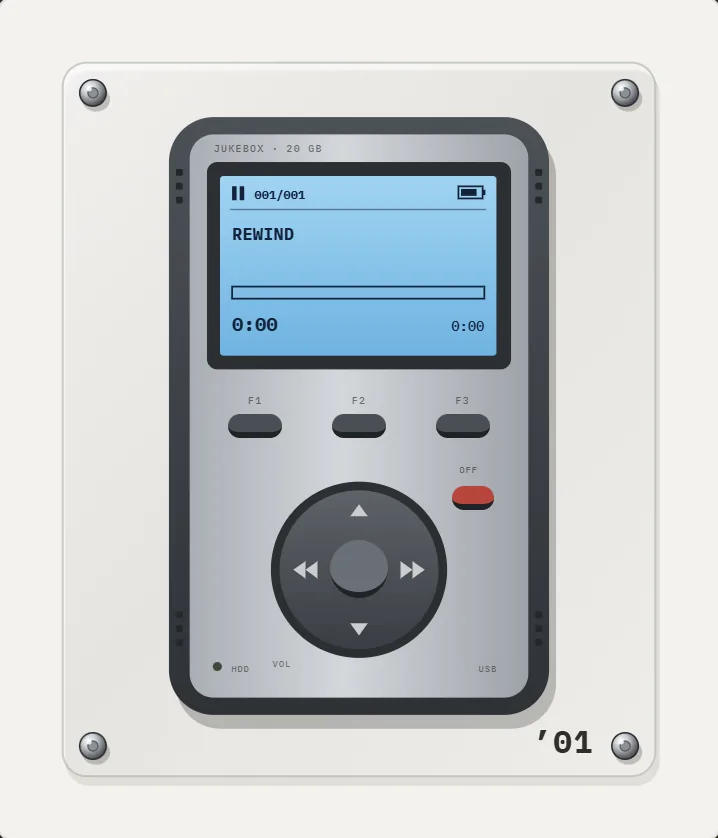
The 1998 flash MP3 player is a tiny first-generation flash design with a small display. The 2001 hard-drive player is a silver brick in dark rubber bumpers with a blue-backlit mono LCD, F1 F2 F3 keys, a round joystick (left skips back, right skips forward, centre plays or pauses) and a red OFF key. You drag a finger along it to scrub through a song and feel a click at every step. Read more on the MP3 player page and the history of the MP3 player.
Be clear about the limits. REWIND will not play Apple Music or Spotify downloads, because those are DRM-protected. It is not a hi-res or bit-perfect player. It is iPhone only.
How do you set up an iPod-style player on your iPhone?
New to importing? Start with how to add music files to iPhone.
- Decide what goes on it. Choose songs you own: purchases, CD rips, Bandcamp downloads. Subscription downloads cannot be moved to a third-party app.
- Copy the files to the Files app, in iCloud Drive or "On My iPhone".
- Install the player you like. For wheel-style browsing choose one of the wheel apps; for a machine you can watch and press, choose REWIND.
- Import a folder of music. In REWIND, a whole folder or single tracks come in from Files and are copied into the app.
- Turn off distractions. A Focus mode that hides notifications gets you closest to the old single-purpose feel.
- Pick headphones. Wired ones through an adapter avoid Bluetooth delay, and Bluetooth gives you freedom.
Does an old iPod still work today?
Often yes, for local files. An iPod with a working battery still plays the songs synced to it, but it cannot stream, and replacing batteries or hard drives takes some skill. Some owners swap the battery or the hard drive. If you only miss the sound of a tidy library, an app and a folder of files cost less than a restored device and fit in your pocket already.
Why do people miss the iPod?
It did one thing and did it quietly. There were no notifications, no feed and no reason to look at a screen except to choose a song. A library you built yourself, with ratings, playlists and a cable ritual, felt personal. For many people it was also the first object that held their whole music collection.
The click wheel added a physical rhythm: a tick for every step, a press to choose. Wheel-style apps try to give a similar rhythm with haptic feedback on a flat screen. REWIND tries a different route, the tactile feedback of old machines. Buttons press down and click, mechanical sounds and haptics can be switched off, and spinning the ring on the MP3 players clicks at every step as you scrub through a song.
What about the iPod touch?
The iPod touch was the closest thing to an iPhone without the phone. It ran the same system and apps, and Apple discontinued it on May 10, 2022. If you still own one and it can run a recent iOS, the setup in this article applies to it too: copy files, install an offline player, import. If it is stuck on an old iOS version, check each app listing before you spend time. Compatibility is the usual obstacle, not the hardware.
Should you use an iPhone as an iPod or buy a dedicated player?
A spare iPhone costs nothing if you own one, runs the same apps and charges with one cable. A dedicated hardware player gives a physical wheel and a longer battery, which is the main thing an app cannot copy. For most people the compromise is an old phone, in airplane mode, running an offline player. The step-by-step version is in use an old iPhone as a dedicated music player.
Short version: the iPhone is the iPod now. Apps can borrow the look, and REWIND borrows the era.
Frequently asked questions
Can I use my iPhone as an iPod?
Yes, in practice. The Music app plays your library, and an offline player like REWIND can play your own files with no connection. There is no separate Apple "iPod" app.
Is there an iPod classic app for iPhone with a click wheel?
Independent apps such as SepiaPod and MusicPod advertise wheel-style controls. REWIND does not have a click wheel.
What is the closest REWIND machine to an old digital music player?
The 2001 hard-drive player with a blue LCD, three function keys and a round joystick, and the 1998 flash MP3 player. Both are on the MP3 player page.
Does REWIND copy the iPod?
No. REWIND is not affiliated with Apple and does not imitate any Apple product. Its machines are original drawings named by year and type.
Can I play Apple Music songs in an iPod-style app?
Not in third-party apps that read files. Apple Music downloads are DRM-protected. Files you bought or ripped will work.
Keep exploring
MP3 players2 early MP3 players: a 1998 flash stick and a 2001 hard-drive brick.2001 Hard-Drive Brick MP3 Player AppSilver brick in rubber bumpers, blue-backlit LCD, F1–F3 keys, round joystick, red OFF key. PRO.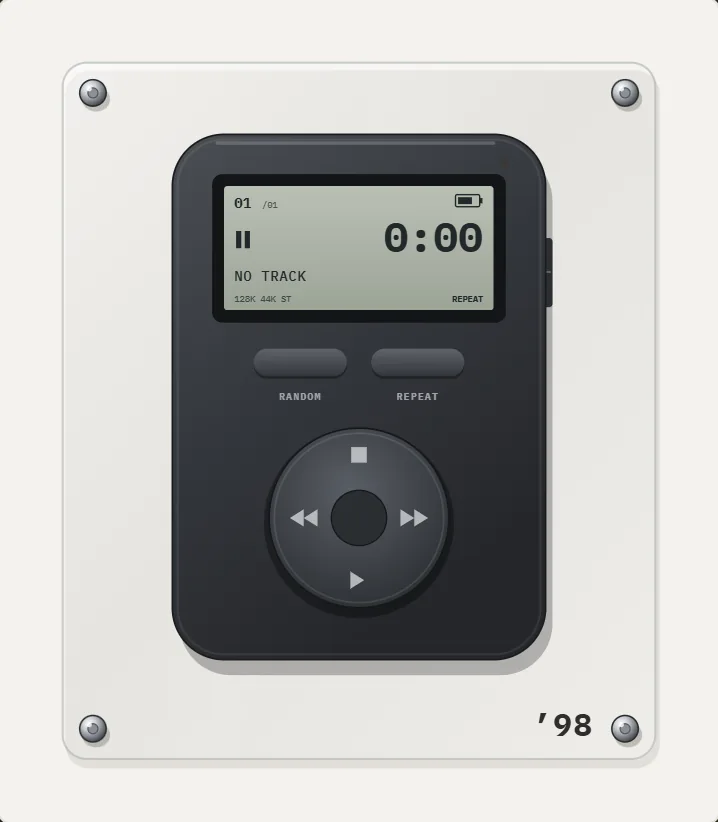 1998 Flash MP3 Player App for iPhoneMatte graphite body, gray monochrome LCD, RANDOM and REPEAT keys, round cross pad. A PRO ’98 MP3 player.History of the MP3 PlayerFrom the MPMan F10 and Rio PMP300 in 1998 to the 2001 iPod and the smartphone: a dated history of the MP3 player.Retro MP3 Player App for iPhoneWhy the first MP3 players looked the way they did, and how a retro MP3 player app for iPhone recreates two of them.
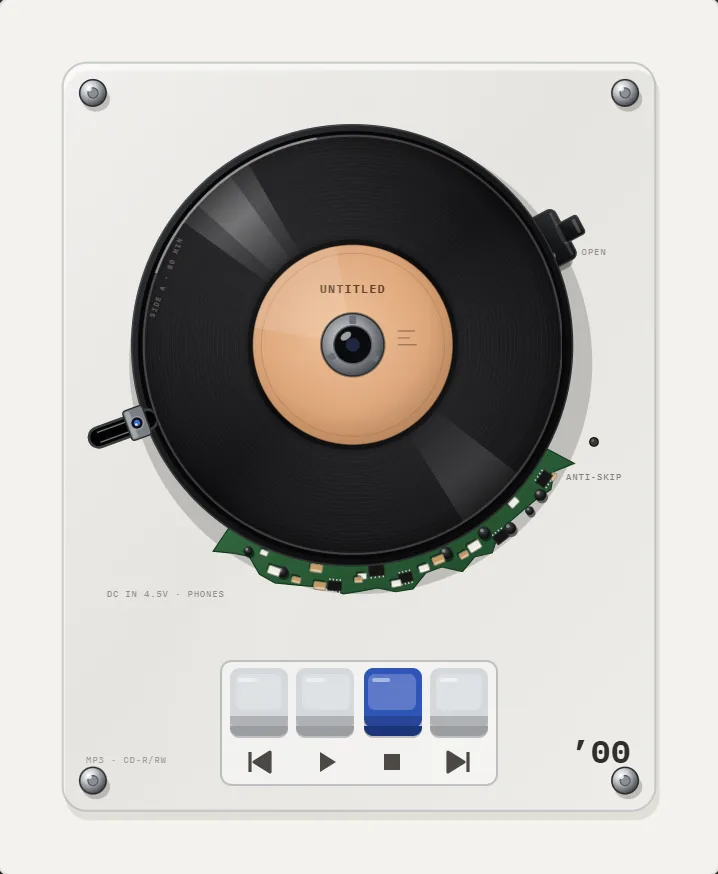 Best Retro Music Player Apps for iPhoneNine retro, vintage and skeuomorphic music player apps for iPhone compared by era, music source, price and ratings, October 2026.