 REWIND
Retro MP3 Player App for iPhone: Two Eras on One Screen
A retro MP3 player app for iPhone recreates the pocket players of the late 90s and early 2000s: flash-memory sticks and rubber-bumpered hard-drive bricks. You load your own MP3s, drag a finger along the player to scrub, and watch the tiny screen show title and progress.
Download free on iPhoneSee all 30 machines
8 machines free forever · no account · works offline
What is a retro MP3 player app?
It is a player app themed on early digital audio players. Instead of a tidy modern list, you get a small LCD, a row of keys and a physical control for scrubbing. The pleasure is in the tiny interface and the limits that shaped it.
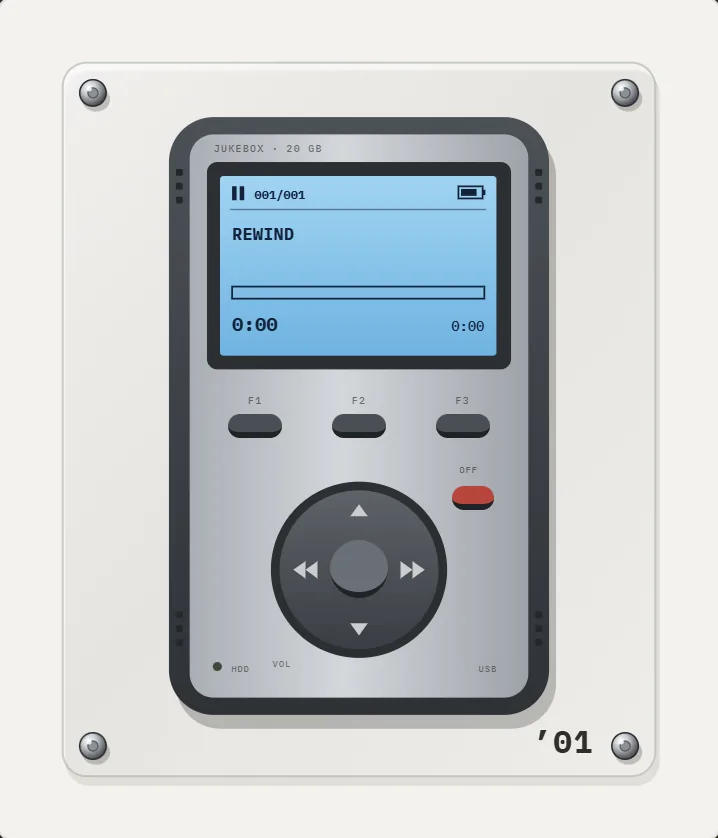
REWIND has 2 of them, each from a different moment: a flash-memory player from 1998 and a hard-drive brick from 2001. The MP3 player page shows the group.
Where did MP3 players come from?
The MP3 format came first. MPEG-1 Audio Layer III was developed largely by the German research institute Fraunhofer and published as an ISO standard in 1993, and the .mp3 file extension was chosen in 1995 (Wikipedia: MP3). A song that took tens of megabytes as raw audio shrank to a few. Only then could a pocket device store an album.
The first commercial portable MP3 players followed in 1998, such as the Saehan MPMan in South Korea and the Rio PMP300 in the United States, with memory measured in megabytes, not gigabytes (Wikipedia: MPMan, Rio PMP300). Later players swapped flash for small hard drives and held thousands of songs. For the longer story, see history of the MP3 player.
Those early devices were among the first to treat music as a file you could drag around. Before them, you moved music by moving objects: tapes, discs and records. After them, the object became optional, and a library became something you carried in a pocket.
Which two designs does REWIND recreate?
The two are deliberately different in how they feel.
| Machine | Year | Control | Screen |
|---|---|---|---|
| Flash pocket player | 1998 | Keys and a round pad; swipe along the player to scrub | Gray monochrome LCD with track number, time and scrolling title |
| Hard-drive player | 2001 | Joystick pad and F1–F3 keys; drag a finger to scrub | Blue-backlit monochrome LCD with title, artist, progress bar, time |
How do the controls work?
On both players you swipe or drag a finger along the body to scrub through a song. The 2001 brick also has a round joystick: left for previous, right for next, center for play and pause. The screens show the title and artist, and the 2001 player adds progress and time.
These are not decorative. On a real hard-drive player, scrubbing meant holding a key or nudging a pad until the right second arrived. Doing it with a finger on a phone has the same small satisfaction. The mechanical sounds and the haptics can be switched off separately in Settings, so you can keep the clicks and drop the vibration on a commute, or the reverse in a quiet room.
How do you get your own MP3s onto it?
Short version, with full detail in how to add music files to iPhone.
- Gather DRM-free MP3 files: old downloads, CD rips or purchases from stores that sell files.
- Copy them to the Files app via iCloud Drive, AirDrop or a cable.
- In REWIND, import the folder. Tags and cover art are read from the files.
- Tap the year title, choose an MP3 machine, and press play.
Does an MP3 player app sound old?
Only as old as the files. A 128 kbps MP3 from 2002 will sound like one, with a slightly dull top end. The app does not degrade modern files to imitate a 1998 device. You can still use the equalizer to shape the sound, and its Warm and Bass presets suit compressed files well.
One honest difference: some hi-fi apps advertise bit-perfect output, USB DAC support, DSD and dozens of codecs. REWIND does not do that. It plays MP3, AAC/M4A, ALAC, WAV, AIFF, FLAC and CAF, offline, with no account. See the MP95 comparison for where each fits, and the Winamp alternative page if you miss that era's desktop player.
Why were early MP3 players so small in capacity?
Memory was expensive. A flash chip of 32 megabytes cost real money in 1998, and at 128 kbps an MP3 uses about one megabyte per minute, so a player held about half an hour of music. Users chose songs carefully, re-encoded at lower bitrates and swapped tracks over a slow cable.
That scarcity shaped the culture. People made short playlists, labeled files with abbreviated names and treated each track as worth its place. A modern library of thousands of songs behaves differently, which is why a small screen with a short list can feel refreshing. If you want that mindset, make a short mixtape and play it on the flash-memory machine.
What about the desktop era around it?
The player hardware lived beside a desktop culture of ripping CDs, naming tracks and building playlists. Winamp, released in 1997, defined what a music player looked like on a PC, with a tiny window, a skin and a visualizer (Wikipedia: Winamp). Many people miss exactly that feel, and our Winamp alternative for iPhone page covers how REWIND fits.
The visual layer carries over. REWIND has 17 animated backgrounds that react to the music, including an oscilloscope and a synthwave horizon, described in the music visualizer guide.
Frequently asked questions
What was the first MP3 player?
Commercial portable MP3 players appeared in 1998. The Saehan MPMan and the Rio PMP300 were among the first.
Can I use my old MP3 collection?
Yes. Copy the files to the Files app and import them. Tags and cover art are read from the files.
Do the MP3 machines work offline?
Yes. REWIND needs no network for playback and collects no data.
Are the MP3 players in the free version?
No. The MP3 machines are part of REWIND PRO. The free version has 8 cassette and CD machines.
Keep exploring
MP3 players2 early MP3 players: a 1998 flash stick and a 2001 hard-drive brick.2001 Hard-Drive Brick MP3 Player AppSilver brick in rubber bumpers, blue-backlit LCD, F1–F3 keys, round joystick, red OFF key. PRO.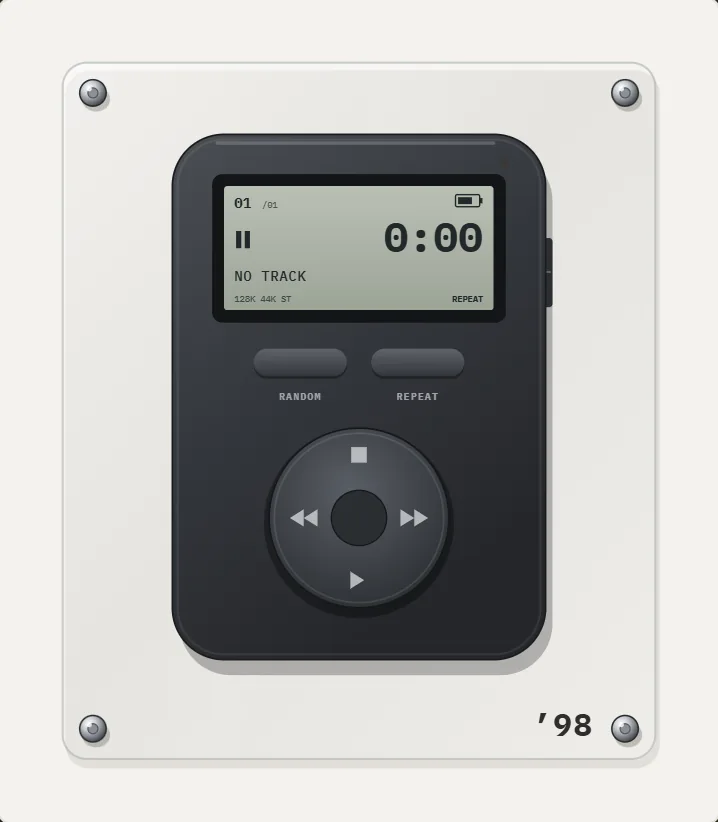 1998 Flash MP3 Player App for iPhoneMatte graphite body, gray monochrome LCD, RANDOM and REPEAT keys, round cross pad. A PRO ’98 MP3 player.History of the MP3 PlayerFrom the MPMan F10 and Rio PMP300 in 1998 to the 2001 iPod and the smartphone: a dated history of the MP3 player.MP3 on iPhoneThe classic lossy format. Bitrates, sizes, how to load it on iPhone, and how REWIND plays it.