 REWIND
Walkman app for iPhone: is there a real one?
There is no Walkman-branded music player for iPhone that we could find. Sony's own iPhone apps, such as Music Center and Sound Connect, control Sony headphones and audio gear. Independent apps copy the pocket cassette player look, and REWIND offers pocket cassette machines for your own files.
Download free on iPhoneSee all 30 machines
8 machines free forever · no account · works offline
Is there an official Walkman app for iPhone?
Not a music player, as far as the US App Store shows. A search for "walkman" on October 10, 2026 returned third-party cassette-style apps, and a search for Sony returned Music Center and Sound Connect, which are free companion apps from Sony for its headphones and audio equipment. We did not find a Walkman-branded player.
"Walkman" is a trademark of Sony. REWIND is an independent app and is not affiliated with or endorsed by Sony, and we use the name only as a historical and descriptive term.
What was the Walkman?
The Walkman was a portable cassette player that launched in July 1979 as the TPS-L2 (Wikipedia: Walkman). Sony expected to sell about 5,000 a month, and it sold more than 30,000 in the first two months. The same article says Sony sold about 220 million cassette-based Walkman units before ending production in 2010. Since 2011 the Walkman name has covered only digital flash players, so a Walkman bought now is not a tape machine.
The format itself is a separate story. Read the history of the compact cassette and why cassettes are back.
What do people usually want when they search for a Walkman app?
| What you want | What exists |
|---|---|
| A pocket cassette look with your own songs | Cassette-style players such as REWIND, MP95 and CassoFlow |
| The real hardware | Used cassette players or a current digital Walkman from Sony |
| Sony headphone settings | Sony's Music Center or Sound Connect apps |
| Mix tapes you can write on | Mixtape features in an offline player |
| Old tapes on your phone | Digitize them, see transfer cassettes to iPhone |
Which iPhone apps give you a pocket cassette player?
Three that we checked on the US App Store in October 2026: CassoFlow (a skeuomorphic cassette player with simulated hiss and wow and flutter, free with a PRO subscription), Tape (an animated cassette for the Apple Music library, $1.99) and MP95 (a hi-res player with a cassette deck, free). We compare these and others in best cassette player apps.
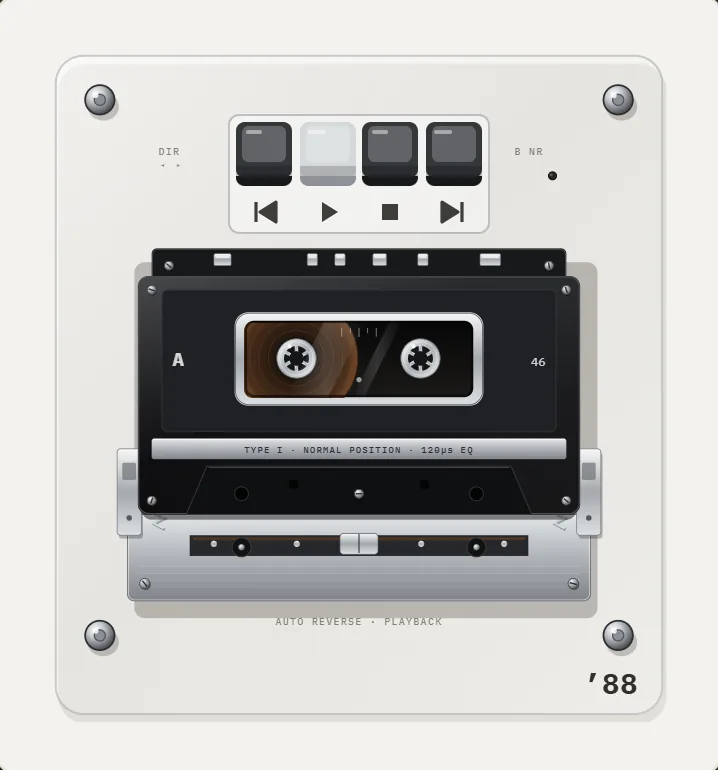
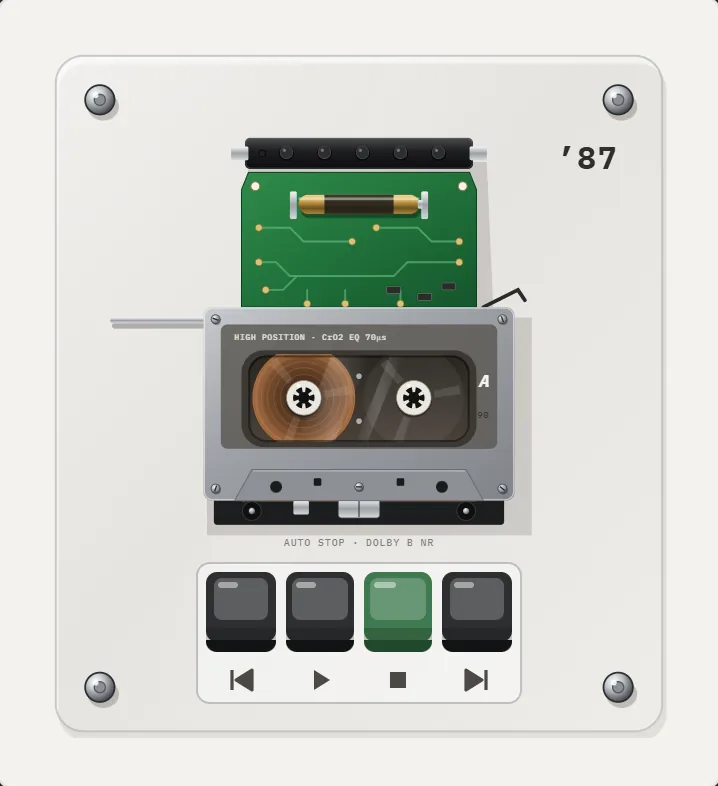
REWIND has 10 pocket cassette machines for the files you import, from 1987 to 1997, drawn as the opened mechanism on an acrylic plate with the year printed in the corner. The cassette moves while it plays, you swipe it to fast-forward or rewind, and pause stops with a pitch-slide. Most of the free machines are cassette players.
What does REWIND not do?
REWIND is not a Sony product and does not claim to contain or copy any Sony device. It does not stream, does not play Apple Music or Spotify downloads, and is not a hi-res or bit-perfect player. It runs only on iPhone. It does not read physical cassettes or record.
How do you get a Walkman-like experience on iPhone, step by step?
The cassette player page lists every machine.
- Collect songs you own: purchases, CD rips, Bandcamp downloads, digitized tapes.
- Put them into the Files app.
- Install a cassette-style player and import the folder.
- Choose a pocket cassette machine. In REWIND, tap the year title to open the catalog or use the year ribbon to switch.
- Add warmth. Turn on analog sound and set saturation, wobble and hiss to taste.
- Use wired or Bluetooth headphones, and the lock-screen controls for skipping.
What is the difference between a Walkman and an MP3 player?
A cassette Walkman played tape, a physical medium with two sides, a motor and a head. An MP3 player plays digital files from flash memory or a hard drive, with no moving parts in the playback path. The word Walkman later became a brand for Sony's digital players too, so the same name now covers both. That is why a search for a "Walkman app" can mean a cassette-style player, a digital player or a Sony headphone app.
The difference matters when you choose software. A cassette skin shows reels and controls but plays a digital file. The mechanics are an animation. REWIND adds sound details such as a tape stop and optional hiss and wobble, all produced on the device, so it feels like tape without needing any.
Should you buy the real thing instead?
If you love the hardware, yes. Used cassette players are easy to find, and a decent one with a clean head, a fresh belt and a good roller sounds great. You also need cassettes, either old ones or new releases. The trade-offs are the usual ones: batteries, worn parts, tapes that stretch and a library that is hard to carry. An app is the other way round, with a huge library in your pocket and none of the physical charm.
Many people do both. They keep a few tapes and a player for the ritual and use an app for everyday listening. If you own tapes and want them on your phone, transferring cassettes to iPhone shows how.
How do cassette-style apps compare with the real feel?
A real pocket cassette player has weight, a thumb click on every key, a window where you watch the tape, and a small motor sound. An app can recreate the look and the sounds, and the feeling comes from the details. In REWIND the reels turn while a song plays, you swipe the cassette to wind or rewind, the buttons press down and click, and the haptics can be switched on or off. When you pause, the pitch slides down the way tape does when the motor stops.
All the sounds of the mechanics, including the clicks, the tape stop and the motor, are synthesized on the device, so nothing is downloaded. The analog sound section adds saturation, wobble, hiss and vinyl crackle with sliders. Read more on the tape mechanics page.
Walkman, Discman and the others: what are the current options?
If you want a physical player, current digital Walkmans are the official continuation, and used cassette players are common. Check the condition carefully, because belts and rollers wear out; our fault guide shows what to look for. If you want a phone-sized stand-in with your own music and a nostalgic interface, an offline app does that for free to start.
Short answer: we found no Walkman-branded music player for iPhone, but there are good cassette-style players. REWIND is one of them, with its own original machines.
Frequently asked questions
Is there a Walkman app for iPhone?
We did not find a Walkman-branded music player in the US App Store. Sony offers Music Center and Sound Connect for its headphones. Independent apps copy the pocket cassette style.
Is the Walkman still made?
The Walkman name continues on digital flash-memory players. Sony ended production of cassette Walkmans in 2010, after launching the first one in 1979.
Which app is the closest to a Walkman on iPhone?
REWIND, CassoFlow, Tape and MP95 offer cassette-style players. REWIND focuses on your own files and has 10 pocket cassette machines.
Is REWIND made by Sony?
No. REWIND is independent and not affiliated with Sony. Its machines are original drawings named by year and type.
Can I play my old cassette tapes on an iPhone?
You must digitize them first. Then any player can play the files.
Keep exploring
 Cassette players10 pocket cassette machines with turning reels, swipe-to-wind and tape stop.Best Cassette Player Apps for iPhoneFive cassette player apps for iPhone compared on price, music sources, sound and App Store ratings, October 2026.Cassette Player App for iPhoneWhat separates a real cassette player app for iPhone from a skin on a stock player, and how to test one in five minutes.History of the Compact CassetteFrom a pocket-sized dictation tape in 1963 to the Walkman era and the modern revival: the dated history of the Compact Cassette.
 Why Cassettes Are BackReal numbers on the cassette revival: US and UK sales, who still makes tape, why people buy it, and what it cannot do.
 How to Transfer Cassette Tapes to iPhoneHow to digitize cassette tapes and put them on iPhone: gear, recording settings, splitting tracks, export and playback.