 REWIND
How to transfer cassette tapes to your iPhone
To transfer cassette tapes to an iPhone, play each tape into a computer, record it as a WAV file, split it into tracks, export M4A or FLAC, and copy the files to the Files app. Recording straight onto the phone is awkward. Allow the full playing time of each tape, because the copy runs in real time.
Download free on iPhoneSee all 30 machines
8 machines free forever · no account · works offline
What do you need to digitize cassette tapes?
The signal path is simple: a working cassette player, a way to get its sound into a computer, and software to record it. Tapes can only be copied in real time, so a 90-minute cassette takes 90 minutes.
| Option | What it is | Good for | Watch out for |
|---|---|---|---|
| USB cassette player | A player with a USB connection that shows up as a recording device | Beginners, a few tapes | Cheap mechanisms and mediocre heads |
| Cassette deck + USB audio interface | Your own deck, line-out cables to an interface or capture box | Better sound, many tapes | More cables, needs a working deck |
| Portable cassette player + 3.5 mm cable | Headphone out into a computer line-in | Quick and cheap | Headphone outputs can distort; keep volume moderate |
| Specialist service | A shop copies the tapes | Rare or fragile tapes | Cost and turnaround |
Can you record cassettes straight onto an iPhone?
Technically yes. An audio interface with a line input and a recording app can capture a tape on the phone. It is awkward, though: splitting tracks and editing are clumsy on a phone, and the result depends on the interface. A computer is more forgiving. The phone is for listening, the computer is for the copying.
How do you transfer cassette tapes to your iPhone?
- Check the cassette and the player. Fit fresh batteries or mains power. Clean the head with isopropyl alcohol and a swab if the sound is dull. Our troubleshooting guide lists the usual faults.
- Connect the player to your computer through USB, or via a 3.5 mm cable into a line-in or audio interface.
- Open recording software. Audacity is free and works on Windows, Mac and Linux. Select the input device.
- Set the recording format. Choose 44.1 kHz, 16-bit, stereo, which is plenty for what a cassette holds.
- Check the level. Play a loud passage and adjust so the peaks stay below the red zone. Distortion at this stage cannot be removed.
- Press record, then play the tape. Record one side at a time.
- Stop at the end of the side. Flip the tape and repeat. Name the files "Tape name - Side A", "Side B".
- Cut the sides into songs. Place a label at each gap and export multiple files, one per track.
- Export. Pick FLAC or ALAC to keep the quality, or M4A/MP3 to save space. Add the title and artist in the metadata fields.
- Copy the files to your iPhone: AirDrop them or put them in iCloud Drive. They appear in the Files app.
- Import them into a player. In REWIND, choose a folder or tracks from Files.
Which settings keep the tape sound?
Do not clean up too much. Hiss, wobble and a little saturation are the character of tape. Light touch-ups are enough: trim the silence, normalize peaks and fade the ends. Heavy noise reduction makes music sound watery. If a tape was recorded with Dolby noise reduction and sounds dull, set the Dolby switch on your player to match. Our guide to normal, chrome and metal cassettes explains the tape types and the bias switch on decks.
Which format should you export to?
The sizes are estimates. WAV at 44.1 kHz and 16-bit stereo uses 10.6 MB a minute. Keep a WAV or FLAC master on the computer and put AAC or lossless copies on the phone. REWIND imports MP3, AAC and M4A, ALAC, FLAC, WAV, AIFF and CAF.
| Format | Size for a 45-minute side (approx.) | Use |
|---|---|---|
| WAV | About 475 MB | Archive master, no tags |
| FLAC | Roughly 250 to 350 MB | Lossless copy with tags |
| ALAC (M4A) | Roughly 250 to 350 MB | Lossless in the Apple ecosystem |
| AAC (M4A) 256 kbit/s | About 85 MB | Everyday listening on the phone |
| MP3 192 kbit/s | About 65 MB | Maximum compatibility |
Is it legal to copy my tapes?
Rules differ by country. Copying your own recordings, such as family tapes, demos and radio sessions you made yourself, is the safe case. Copying commercial albums you own is allowed for personal use in some places and not in others. Do not share or sell copies. Check your local law if unsure.
How do you play the transferred tapes in REWIND?
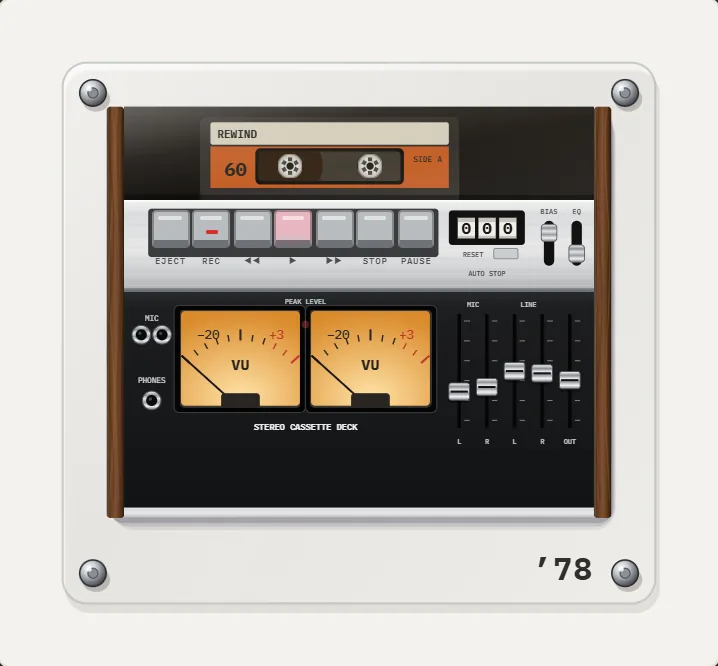
REWIND does not record. It plays the files you made on 10 pocket cassette machines, plus decks and boomboxes, so a digitized mixtape can sit in a machine that looks like the one you made it on. Swipe the cassette to wind or rewind, and pause for a real tape stop. If your clean transfer sounds too tidy, add wobble, saturation and hiss with analog sound.
Make a mixtape in the app and write the label by hand as you did on the original paper insert. Free users get one mixtape, PRO gives unlimited ones.
How should you name and tag the files?
Good tags make a library useful. A digitized tape has no metadata, so add it by hand. Use the artist, the album or tape title, the track number and the year if you know it. For mixtapes with no real names, put the handwritten label in the album field, for example "Summer 94, side A". Add a cover image of the cassette insert if you have a scan. REWIND reads tags and cover art from the files and shows the title and artist on the machine.
Keep the original numbering of your tape sides, A1, A2 and so on, in the file name. It lets you rebuild the tape order later in a mixtape. Store the master files in a folder structure that matches, and back it up in two places. Tape degrades, so the copy is the only thing that outlives the cassette.
What can go wrong?
- The tape is sticky or squeals: stop, do not replay it, ask a specialist.
- The recording is too quiet: raise the input gain on the computer, not the player volume.
- One channel is missing: check the cable, the jack and the head. Azimuth issues can affect one side.
- Wow and flutter on a cheap player: try another player, then read what wow and flutter is.
- Files do not import: check the extension against the supported formats and download iCloud files first.
Frequently asked questions
How do I transfer cassette tapes to my iPhone?
Record the tape on a computer through a USB cassette player or line input, split it into tracks, export M4A or FLAC and copy the files to the Files app. Then import them into a music player app.
Can I record cassette tapes to iPhone without a computer?
It is possible with a line-in interface and a recording app, but it is awkward and tracks are hard to split. A computer is easier.
What is the best format for digitized cassette tapes?
Keep a WAV or FLAC master. For the phone use AAC or lossless copies.
Does REWIND record or digitize cassette tapes?
No. REWIND only plays digital files. You record them first with other tools.
How long does it take to digitize a cassette?
The full playing time, because tape is copied in real time. A 90-minute cassette takes 90 minutes, plus editing.
Keep exploring
 Cassette Player Not Working? 9 Common Faults and FixesNine common cassette player faults with step-by-step checks: no sound, slow or fast playback, chewed tape and jams.
 Cassette players10 pocket cassette machines with turning reels, swipe-to-wind and tape stop.Cassette Player App for iPhoneWhat separates a real cassette player app for iPhone from a skin on a stock player, and how to test one in five minutes.
 How to Make a Mixtape on iPhone, With a Handwritten LabelHow the mixtape tradition worked, and a step-by-step way to build one on iPhone with sequencing tips and a handwritten label.How to Add Music Files to iPhone Without iTunesFour ways to get MP3, FLAC and M4A files onto an iPhone, and how to import a whole folder into a player.What Is Wow and Flutter? Tape and Vinyl Pitch DriftWhat causes wow and flutter, how it is measured in percent, and how to add a gentle amount back to digital music.