 REWIND
Cassette player not working? Nine common faults and what to try
A cassette player that will not play usually has one of nine faults: weak batteries, a dirty head, a worn pinch roller, a stretched belt, slack or damaged tape, a jam, a bad headphone jack or cable, head misalignment or a failed motor or amp. Start with the cheapest checks. Most take ten minutes and a cotton swab.
Download free on iPhoneSee all 30 machines
8 machines free forever · no account · works offline
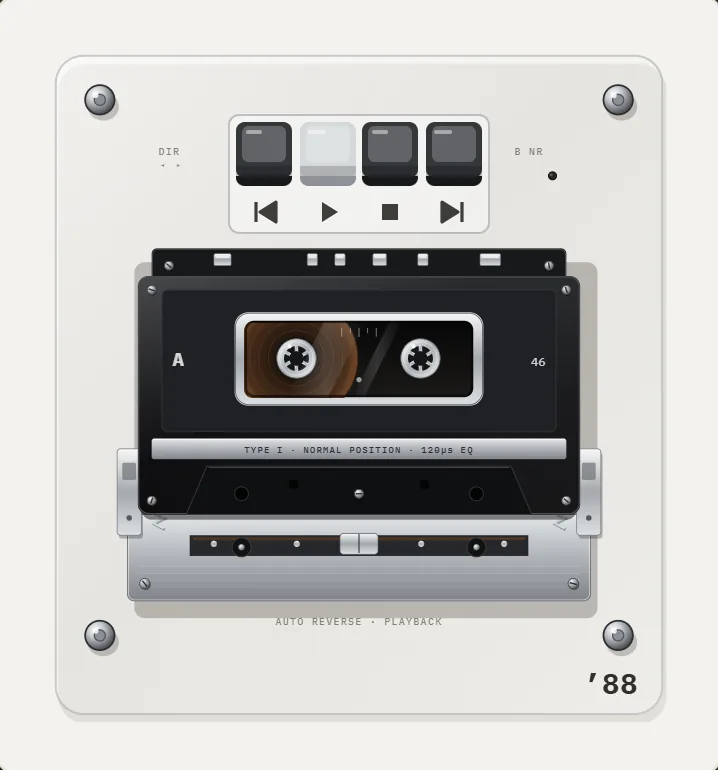
What are the common reasons a cassette player stops working?
Cassette mechanisms are simple, which helps. Three things must work together: a motor that turns a capstan, a rubber pinch roller that presses the tape against it, and a magnetic head that reads the signal. Wear in any of them gives a recognizable symptom.
| Symptom | Likely cause | Try first |
|---|---|---|
| Nothing happens at all | Dead batteries or a bad power cable | New batteries, clean the contacts |
| Motor runs, no sound | Dirty head, wrong output, broken headphone jack | Clean the head, try other headphones |
| Sound is dull or muffled | Dirty or magnetized head | Clean, then demagnetize |
| Too slow, too fast, or warbling | Weak batteries, stretched belt, dirty capstan | Fresh batteries, clean the capstan |
| Tape gets chewed | Worn pinch roller, slack tape, dirty path | Replace the cassette, clean the roller |
| Cassette will not eject or load | Jammed mechanism or broken belt | Do not force it; see the fault below |
| One channel is quiet | Head misaligned or dirty, broken cable | Clean, try another cable |
| Rewind or fast-forward fails | Belt or idler slipped | Check the belt |
Fault 1: weak or dead batteries
Low voltage is the number one cause of slow, warbling tape. A player that gets almost enough power turns the capstan slowly, so the pitch drops. Fit fresh batteries of the right type, wipe the battery contacts with a dry cloth and check the spring tension. If the player has a mains adapter, confirm that its voltage and polarity match the label next to the socket.
Fault 2: a dirty playback head
Oxide from tapes builds up on the head and steals treble. The sound turns dull and quiet. Open the cassette door, find the small metal head, and clean it with a cotton swab dampened with isopropyl alcohol at 90% or higher. Wipe the capstan too, and give the rubber pinch roller a light wipe. Let everything dry for a minute. Repeat until the swab comes away clean. A cleaning cassette helps for light dirt, but swabs reach more.
Fault 3: a worn or hardened pinch roller
The rubber roller presses the tape against the capstan. Over decades it shrinks, hardens or turns glossy and sticky. A bad roller slips, so the speed varies, and it can pull tape into the mechanism. Clean it first. If it still shines like glass or leaves black residue on a swab, it needs replacing, which is a repair job rather than a quick fix.
Fault 4: a stretched or broken belt
Many cassette players use small rubber belts to drive the capstan and the reels. After years, they stretch, harden or snap. Symptoms are slow playback, no fast-forward or rewind, or a motor that spins with no tape movement. Replacement belts are cheap, but you must open the case. Remove the batteries and unplug the player before you do, and photograph every step so you can reassemble it.
Fault 5: slack, damaged or sticky tape
Sometimes the cassette is the problem. Slack tape loops around the capstan and chews. To tighten it, put a pencil in a reel hub and turn it until the tape is snug. Old tapes can also suffer binder breakdown, called sticky-shed syndrome, which humid storage can make worse. Squealing and gummy residue are the signs. Do not play such tapes repeatedly, because they leave deposits on the heads. If a tape matters to you, have it copied by a specialist.
Fault 6: a jammed mechanism
If a cassette will not eject, do not pull hard. Switch the player off, remove the batteries, then gently press eject. If tape is wound around the capstan, open the cassette door fully, ease the tape out with a wooden toothpick and wind it back into the cassette with a pencil. If it still does not move, stop. Forcing a plastic mechanism usually breaks it.
Fault 7: an output or headphone problem
If the motor runs and the counter moves but you hear nothing, test the output. Try different headphones or a different speaker cable, and turn the volume up slowly. Crackle when you wiggle the plug points to a dirty or worn jack. A few drops of contact cleaner on the jack, followed by plugging and unplugging a few times, sometimes fixes it.
Fault 8: head azimuth and one quiet channel
Azimuth means the angle of the head relative to the tape. If a tape recorded on another machine sounds dull in the same player, the angle may differ. Some decks have a tiny screw to adjust it, and a small turn while the tape plays can brighten the sound. This is a delicate job, so mark the starting position before you touch it.
Fault 9: a failed amplifier or motor
If the batteries are good, the belts are fine and the motor does not run, the motor or the circuit board has failed. At that point, weigh the cost. A common pocket cassette player is cheap to replace, while a vintage deck or a rare model may justify a repair shop. We cannot promise any repair, and opening a plugged-in device is dangerous.
How do you test a cassette player step by step?
- Fit fresh batteries or a known-good adapter.
- Insert a cassette you do not care about, not your favorite.
- Press play and listen for the motor. No motor means power or motor trouble.
- Look through the window. If the reels turn and the tape moves, the drive works.
- If the sound is wrong, clean the head, capstan and pinch roller with isopropyl alcohol and a swab.
- Test with headphones, then with another cassette. If a different tape plays fine, the first cassette was the fault.
- Stop if you smell burning or hear grinding.
What if you just want to hear your music?
If your goal is the sound and the ritual rather than repairing hardware, an app can give you the experience. REWIND plays your own digital files on cassette machines that turn their reels, wind with a swipe and stop like real tape when you pause. There is nothing to clean, and wobble and hiss are sliders you control. See the cassette player page, and if you still own tapes, transfer them to iPhone first. It will not repair your player, and it does not read physical tapes.
Frequently asked questions
Why is my cassette player not playing?
Check the batteries or power first, then clean the head, capstan and pinch roller. If the motor does not run, suspect the belt, the motor or the board.
Why does my cassette player play too slow?
Weak batteries are the usual reason. After that, a stretched belt or a dirty capstan. Fit fresh batteries and clean the capstan before opening the case.
How do I fix a cassette player that eats tape?
Clean the pinch roller and tape path, try a different cassette, and tighten slack tape with a pencil. If the roller is hard or sticky, it needs replacing.
Can I clean a cassette head with rubbing alcohol?
Yes. Use 90% or higher isopropyl alcohol on a cotton swab, let it dry, and avoid getting it on plastic parts.
Can I listen to cassette music on my iPhone?
Yes, after you digitize the tapes. REWIND then plays the files on cassette-style machines. It cannot read a physical cassette.
Keep exploring
 Cassette players10 pocket cassette machines with turning reels, swipe-to-wind and tape stop.
 How to Transfer Cassette Tapes to iPhoneHow to digitize cassette tapes and put them on iPhone: gear, recording settings, splitting tracks, export and playback.
 Cassette Tape TypesNormal, chrome and metal cassettes compared: coatings, bias, equalization, notches and what to use today.What Is Wow and Flutter? Tape and Vinyl Pitch DriftWhat causes wow and flutter, how it is measured in percent, and how to add a gentle amount back to digital music.History of the Compact CassetteFrom a pocket-sized dictation tape in 1963 to the Walkman era and the modern revival: the dated history of the Compact Cassette.Cassette Player App for iPhoneWhat separates a real cassette player app for iPhone from a skin on a stock player, and how to test one in five minutes.