 REWIND
How to Make Any Song Slowed + Reverb on iPhone
To hear any song slowed and reverbed on an iPhone, play it in an app that applies the effect live. In REWIND one switch lowers the speed by 15 percent and adds reverb. Sped up, a reverb depth slider and 8D audio sit beside it, and your original file is never changed.
Download free on iPhoneSee all 30 machines
8 machines free forever · no account · works offline
What is slowed and reverb?
It is a remix style that plays a track noticeably slower and wraps it in a large, washed-out reverb. Vocals sink, drums stretch and the song starts to feel like it is playing in an empty building at night.
The sound has a clear ancestor. In 1990s Houston, DJ Screw slowed records down and cut between them, a style known as chopped and screwed (Wikipedia: Chopped and screwed). The modern internet version drops the cutting and keeps the slow tempo and the echo.
What does a 15 percent slowdown do to a song?
On a turntable or tape machine, running slower also lowers the pitch. A speed ratio of 0.85 corresponds to about 2.8 semitones lower, because 12 times the base-2 logarithm of 0.85 is roughly minus 2.8. A 120 BPM song would land near 102 BPM.
That is a bit under three semitones down, enough to darken the mood without turning the singer into a monster. In practice a song in A minor will sound close to F sharp minor if pitch follows speed, which is what tape and vinyl would do.
What does the reverb add?
Reverberation is the sum of countless reflections from the walls of a space. A hall reverb simulates a large room with a long tail, which blurs the end of every note and fills the gaps between them (Wikipedia: Reverberation). At full speed that blur can muddy a mix. At a slower tempo the notes are farther apart, so the tail has room to bloom.
That pairing of slower tempo and bigger room is the whole trick, and it is why the two controls come as one switch.
How do you do it in REWIND?
Slowed + Reverb, Sped up, reverb depth and 8D audio are part of REWIND PRO and run in real time on the phone. Nothing is rendered, so your file is untouched.
The steps are short.
- Import the song you want from the Files app. See how to add music files to iPhone if you need the details.
- Start playback on any machine.
- Switch on Slowed + Reverb. The speed drops by 15 percent and reverb comes on at medium depth if it was off. Drag the reverb depth slider from room to cathedral to taste.
- Add the Warm equalizer preset if the reverb sounds too bright, or Bass if you want the low end to carry.
- Want the opposite? Sped up plays 20 percent faster with a higher pitch, a nightcore-style sound. Slowed and Sped up cannot be on together. Switch 8D audio on for a slow circle around your head, best with headphones. REWIND moves pitch with speed and has no tempo change that keeps the pitch. Switch everything off to hear the original.
Which machines suit the effect best?
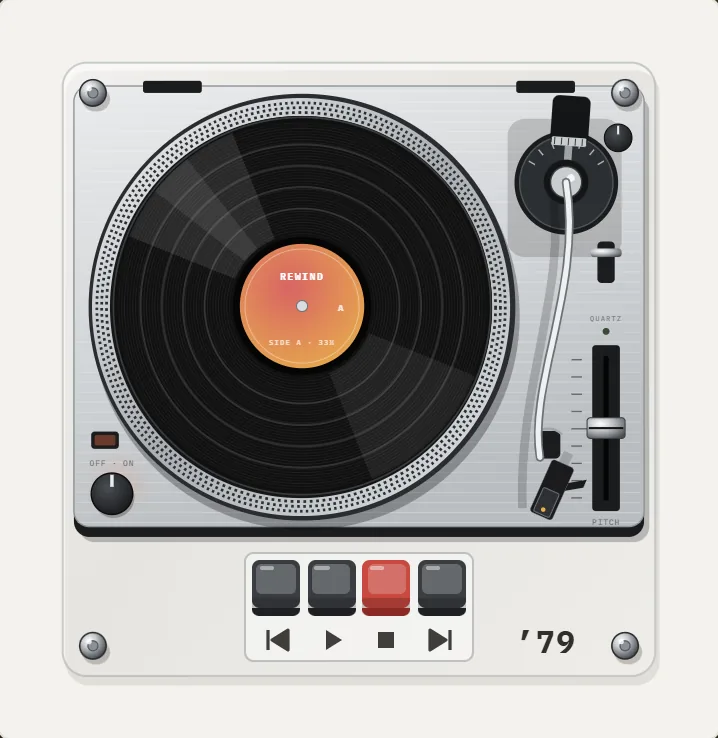
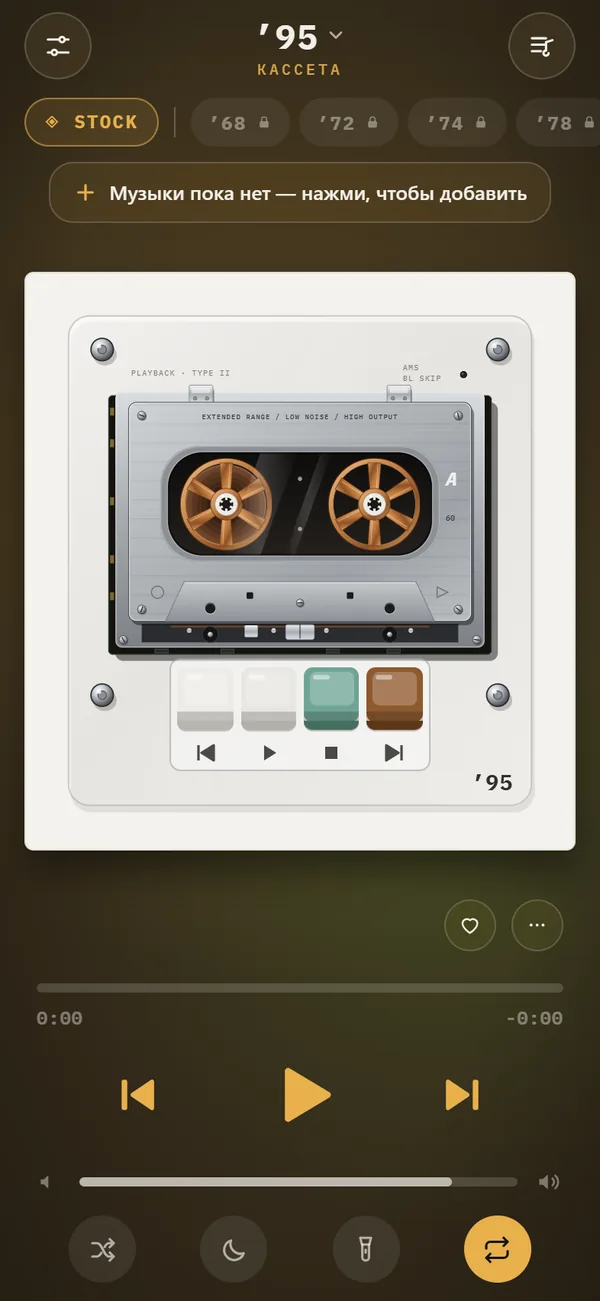
The visual side matters for a mood-driven style. REWIND also does a real tape stop when you pause: the pitch slides down instead of stopping dead. Try the effect on the 1995 pocket cassette or the 1979 direct-drive turntable.
Pair the audio with a slow background. The 17 animated scenes react to the music, and the aurora and lava lamp scenes in particular move at a pace that fits (see the music visualizer page). Add the analog sound switch for saturation and a little crackle on top: see analog sound.
How is this different from a streaming remix?
Most slowed remixes you find online are uploads by other people. You cannot choose the speed, and they may be removed. Applying the effect live to a file you own gives you the same sound on any song, including tracks nobody has remixed.
The feature lives on the slowed and reverb page if you want the short version. Streaming-service tracks are DRM-protected and will not import, so the effect works on files you bought or ripped.
If you make your own edits elsewhere and want to hear them here, import the finished file and leave the switch off, because applying the effect again slows the song a second time. The same goes for a track you downloaded already slowed: treat it as a normal file and decide by ear.
Which kinds of songs work best?
Slow effects flatter songs with space in them: sparse pianos, breathy vocals, ambient pop, lo-fi beats and R&B. They struggle with dense, busy mixes, where the reverb tail clutters the beat. Fast punk or heavy drum and bass slowed by 15 percent becomes a different animal, which can be great or silly.
Test two songs, one sparse and one dense, and compare. The sparse one will show you what the effect is for. The dense one will show you where it breaks.
How do you avoid overdoing it?
Reverb and slowdown are blunt tools. If every song you play is slowed, the novelty fades quickly. Use the switch as a mood: late night, long drive, rainy window.
Combine it sparingly with analog sound. A little tape saturation helps the washed-out sound feel cohesive, as in what tape saturation is, and a trace of hiss can mask the digital smoothness. Piling on crackle, wobble, hiss and reverb together tends to muddy everything. Add one at a time and stop when the song loses clarity.
Frequently asked questions
How do I make a song slowed and reverb on iPhone?
Import the song into REWIND from the Files app and switch on Slowed + Reverb during playback. The effect applies live and does not change your file.
How much slower is it?
Slowed + Reverb lowers the speed by 15 percent and adds reverb at medium depth, which you can change with the depth slider.
Is Slowed + Reverb free?
No, it is part of REWIND PRO, together with Sped up, reverb depth and 8D audio. The free version includes analog sound, machine sound, lo-fi radio and a five-band equalizer.
Can I use it on Spotify or Apple Music songs?
No. Those tracks are DRM-protected and cannot be imported. Use files you bought or ripped yourself.
Does it create a new audio file?
No. The effect is applied in real time on the phone, and your original file stays unchanged.
Keep exploring
 Slowed + Reverb, Sped Up and 8D Audio on iPhoneSlowed, Sped up, reverb depth from room to cathedral and 8D audio, live on your own files. REWIND PRO.
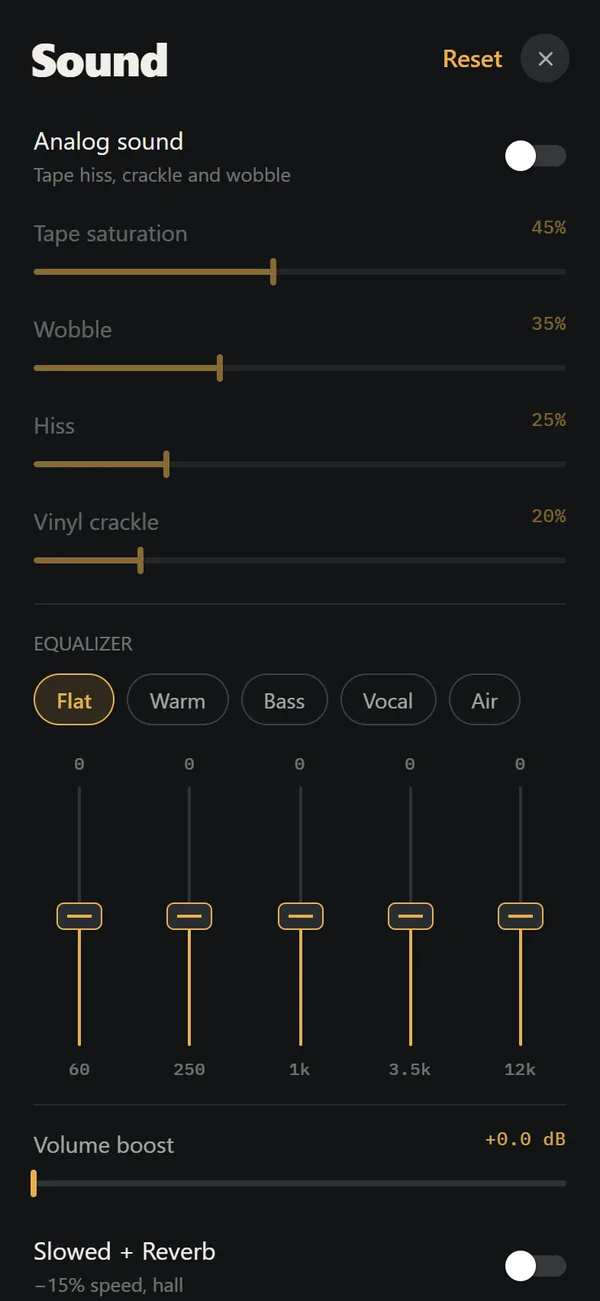 Analog Sound on iPhoneFour sliders (saturation, wobble, hiss, crackle), automatic machine sound and a lo-fi radio filter, live on your own files. Free.5-Band Equalizer for iPhone Music Files, FreeFive bands (60 Hz to 12 kHz) and five presets, applied in real time to your own files. Free.Music Visualizer Backgrounds for iPhone Player17 animated scenes that react to your music. Tap to cycle, long-press for the full list. Seven are free.
 1995 Cassette Player for iPhoneSilver chassis, copper six-spoke reels, brown tape pack. The default machine, free for everyone.
 How to Make a Mixtape on iPhone, With a Handwritten LabelHow the mixtape tradition worked, and a step-by-step way to build one on iPhone with sequencing tips and a handwritten label.