 REWIND
Can you slow down Apple Music or Spotify songs on iPhone?
You cannot import Apple Music or Spotify downloads into another app, so you cannot add slowed and reverb to them there. The effect works on audio files you own. A few speed-changer apps list Apple Music support, and DRM-free copies work in any app.
Download free on iPhoneSee all 30 machines
8 machines free forever · no account · works offline
Can you slow down a song in Apple Music?
As far as we can find, the Apple Music app has no speed control for songs. It plays tracks at their original speed and offers no reverb effect. Playback speed controls exist for podcasts and audiobooks in their own apps, but not for songs in the Music app. Apple's features change with each iOS release, so check your own version.
REWIND is an independent app and is not affiliated with or endorsed by Apple or Spotify. We name them only to describe what their apps do.
Why can't other apps slow down my Apple Music or Spotify songs?
A subscription lets you listen but does not hand you a file. The offline downloads are encrypted, tied to your account and kept inside the service's app. Other apps cannot read them. This is DRM, short for digital rights management, and our DRM-protected music page explains it and why Apple Music songs will not import gives a checklist.
What are your options?
| Option | Works with streaming songs? | What you get |
|---|---|---|
| Speed-changer app that lists Apple Music | Possibly, per its listing | Tempo control. As of October 2026, the Grooves ($4.99) listing says it covers the Apple Music catalog, your Music library and Files |
| Slowed and reverb app on your own files | No, needs a file you own | Speed, pitch and reverb, see best slowed and reverb apps |
| REWIND Slowed + Reverb | No, needs a file you own | One switch: -15% speed with reverb, plus Sped up at +20%, adjustable reverb depth and 8D audio, all live |
| Buy the song as a download | Yes, then it is yours | A DRM-free file that works in any app |
| Search for an official slowed version on the service | Yes | Whatever the artist or label released |
How do you get a slowed and reverb version of a song you like?
The detailed walk-through is slowed and reverb any song on iPhone.
- Check whether the artist released an official slowed or "sped up" version on the service. Some have.
- If not, buy the song as a download from a store that sells DRM-free files. Where to buy DRM-free music lists them.
- Save the file to the Files app on your iPhone.
- Import it into an app that offers the effect. In REWIND, add the file to your library.
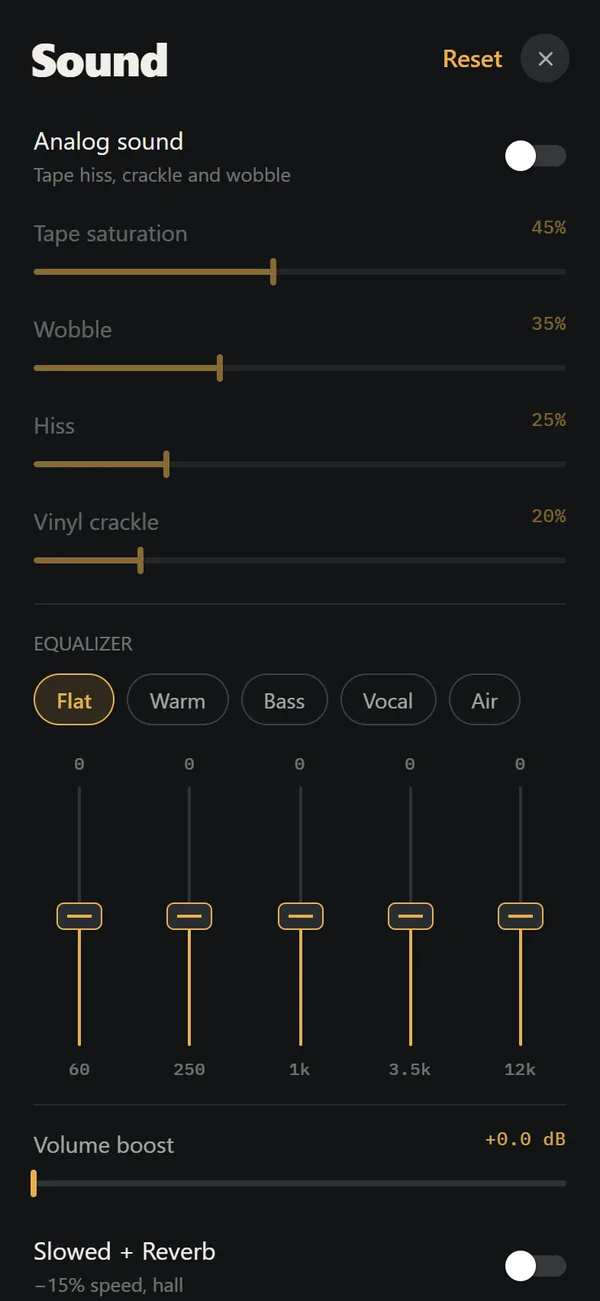
- Switch on Slowed + Reverb (or Sped up) in the sound controls.
- Add warmth with the equalizer or tape sound if you like.
What does REWIND do here?
REWIND is a player for your own files. Its Slowed + Reverb switch lowers the speed by 15 percent and adds reverb, while Sped up plays 20 percent faster. A reverb depth slider and 8D audio are there too, and the song plays on a cassette, deck, CD or turntable machine. REWIND raises or lowers pitch together with speed, so it is not a pitch-preserving practice tool. It applies the effect live and does not create a new file, it cannot play Apple Music or Spotify tracks, and these controls are part of PRO ($2.99 weekly, $19.99 yearly with a 3-day trial, or $24.99 once).
Is there a free way?
As of October 2026, Music Speed Changer, Audipo and Up Tempo are free downloads on the US App Store and work with files on your phone, according to their listings. Check each listing for in-app purchases, since Audipo, for example, sells its Apple Music support as a Pro upgrade. You still need a DRM-free file for most uses. If you have CDs, ripping them gives you one. Our comparison page lists live players and editors side by side.
Is it okay to share a slowed version?
Using it for yourself is the safe case. Uploading a slowed version of a commercial song is copyright use that platforms may block. Look for official releases or ask the artist.
Streaming tracks stay locked. Files you own can be slowed.
What about slowing a song only to practice or learn it?
If your goal is to learn a solo or a dance, speed changers are a better fit than slowed-and-reverb apps. They change the tempo without changing the pitch, so you hear the notes in the original key. According to their App Store listings, Audipo (0.25x to 4.0x), Up Tempo and Music Speed Changer offer this. Grooves, a $4.99 app, lists support for songs in the Apple Music catalog, in your Music library and in Files. Read the listing for what each app covers before you pay, because details change.
Speed changers usually offer looping too. Set the start and end of a hard bar, loop it, and raise the speed a few percent each time. This is a standard way to practice, and it needs no reverb at all.
Why do streaming services block this?
Streaming services license music from labels. The license lets you listen through the service's app, not extract or alter the audio, and locking downloads protects that deal. For listeners the result is simple: the song belongs to the catalog, not to you. If you want to treat a song as material, you need to own a copy. Buying albums you love is also a direct way to support the artist.
What can you do right now, in short?
Each of these paths is open on iPhone today. Which one fits depends on whether you want a mood or a practice tool.
- Look for an official slowed version in the service itself.
- If you want the effect for yourself, buy the song as a file.
- Use a player that has a slowed effect for your files, such as REWIND (PRO) or a free speed changer.
- If you need to practice, use a pitch-preserving speed changer with loops.
- Skip tools that promise to bypass the protection on streaming downloads. They break the terms of the service and are unsafe to install.
What does slowing a song do to the sound?
If speed and pitch are tied together, the voice drops lower and the beat drags, as with a record played at the wrong speed. Some apps slow a song without changing pitch, which sounds more natural but not like the classic style. Read what slowed and reverb music is for the details.
Frequently asked questions
Can you slow down Apple Music songs?
The Apple Music app has no song speed control that we can find. Third-party apps that import files cannot open its protected downloads. A speed-changer app that lists Apple Music support is one workaround.
Can you slow down Spotify songs on iPhone?
Not with third-party apps, because Spotify downloads are DRM-protected. Use files you own.
How do I make a slowed and reverb version of an Apple Music song?
Buy a DRM-free copy, import it into an app with a slowed and reverb effect, and switch it on. Check for an official slowed version first.
Does REWIND work with Apple Music?
No. REWIND plays imported audio files only.
Is slowed and reverb a PRO feature in REWIND?
Yes. Slowed + Reverb, Sped up, reverb depth and 8D audio are part of REWIND PRO.
Keep exploring
What Is Slowed and Reverb Music? Origin and SoundWhat slowed and reverb music is, where it came from, how it is made and how to hear the effect live on iPhone.Best Slowed and Reverb Apps for iPhoneSlowed and reverb apps for iPhone compared: live players versus editors, price, ratings and which handle your own files, October 2026. Slowed and Reverb Any Song on iPhone, LiveWhat slowed and reverb is, where the style came from, and how to apply it live to your own music on iPhone.
 DRM-Protected MusicWhy streaming downloads cannot be imported, and which DRM-free sources work.Where to Buy DRM-Free MusicWhere to get music as files you own: Bandcamp, iTunes, Qobuz, Amazon, Beatport and CD rips, plus how to check a file is DRM-free.Apple Music Songs Won't Import? Why and What to DoWhy Apple Music downloads cannot be imported, a troubleshooting checklist, supported formats and legal ways to get files you can use.