 REWIND
Does Apple Music have a visualizer?
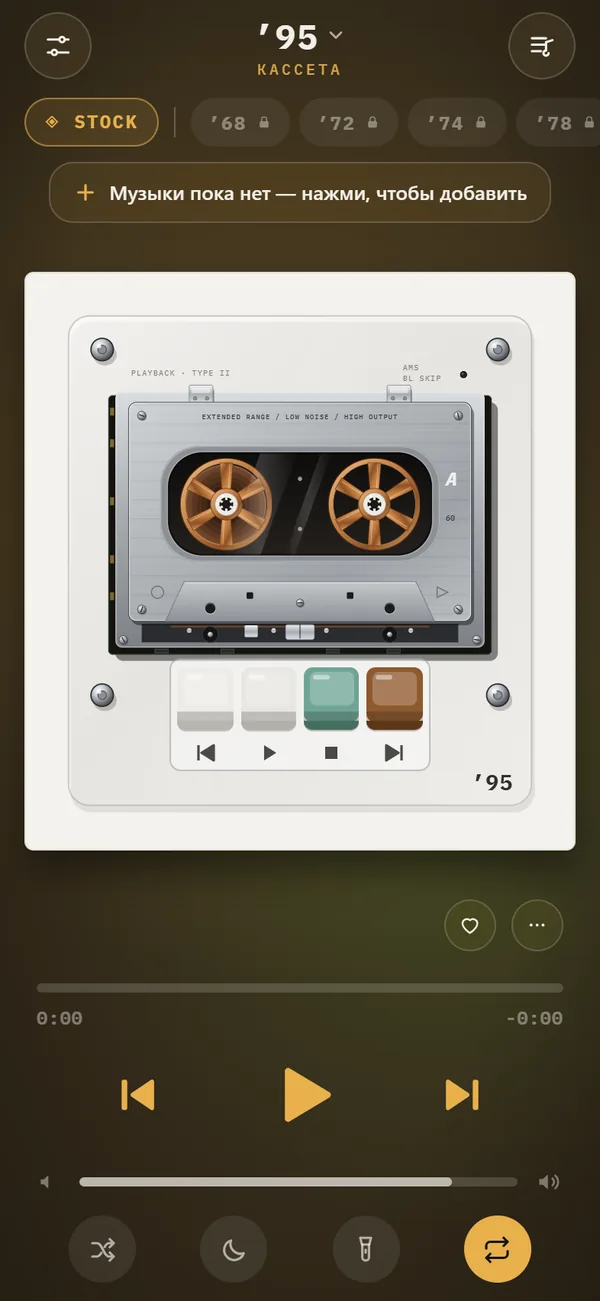
On a Mac, the Music app has a visualizer: choose Window > Visualizer. On iPhone we found no built-in music visualizer in Apple Music as of October 2026, only animated cover art and lyrics. For music-reactive backgrounds on iPhone, use an app that plays your own files, such as REWIND.
Download free on iPhoneSee all 30 machines
8 machines free forever · no account · works offline
Does Apple Music have a visualizer on iPhone?
As of October 2026, we found none. The Music app on iPhone shows album art, an animated artwork on some releases, and time-synced lyrics for many songs, but not an audio-reactive visualizer like the screens of old media players. Apple adds and changes features with each iOS release, so check your own version under the now-playing screen.
REWIND is an independent app and is not affiliated with or endorsed by Apple. We name Apple Music only to describe what it does.
What about Apple Music on Mac?
Yes. Apple's guide, Turn on visual effects in Music on Mac, says to play a song and choose Window > Visualizer. Mac users get the closest thing to the classic iTunes visualizer. Menu names can shift between macOS versions, so check the guide for yours.
What can you use on iPhone instead?
There are also apps built around visualizers. See music visualizer app for iPhone for a closer look.
| Option | Visualizer? | Works with |
|---|---|---|
| Apple Music app on iPhone | No audio-reactive visualizer that we found; animated art and lyrics | Apple Music library |
| Apple Music on Mac | Yes: Window > Visualizer | Apple Music library |
| REWIND | 17 animated backgrounds that react to the music | Files you own |
| Other visualizer apps | Varies; check the listing | Varies |
What does REWIND's visualizer look like?
REWIND has 17 animated backgrounds that respond to the music. The free ones are stock, pulse, bars, wave, vu (VU meters), warp and notes. PRO adds aurora, flow, rgb, scope (an oscilloscope), ridge, synth (a synthwave horizon), lava (a lava lamp), tv, tunnel and groove. Tap the background chip to cycle through them, or long-press for the full list. The scene sits behind the retro machine, so the cassette or turntable stays in front while the screen moves with the song.
Read the music visualizer feature page for more.
Can REWIND visualize Apple Music songs?
No. Apple Music downloads are DRM-protected and cannot be imported. REWIND plays files you own: MP3, AAC/M4A, ALAC, WAV, AIFF, FLAC and CAF. If you want your Apple Music favorites on the screen, you need DRM-free copies, which our guide where to buy DRM-free music covers. You can also read why Apple Music songs will not import.
How do you show a visualizer on iPhone, step by step?
- Put some of your own songs in the Files app.
- Install an app with visualizer scenes and import the files.
- Start a song.
- Tap the background chip to change scenes, or long-press it to open the full list.
- Pick an accent colour if the app offers one, so the scene matches your style.
- Turn on the night light if you keep the phone on a desk, so everything except the machine dims.
What did the classic visualizers do?
Visualizers began as screen effects for audio players on computers in the 1990s and 2000s. They turned the sound into moving patterns using the level and frequency content of the music, usually a spectrum or waveform driving shapes and colors. Some became famous in their own right. Many people remember them from desktop players and the media player that came with their computer.
Today they are less common on phones because screens are small and apps focus on lists, lyrics and artwork. Smaller developers keep the idea alive. REWIND borrows the oldest instruments: VU meters that swing with the level, an oscilloscope scene, bars and a wave. Others are abstract, such as aurora, lava lamp and tunnel.
Which REWIND scenes are free and which are PRO?
Free users get seven scenes, PRO gets all 17. PRO plans are $2.99 weekly, $19.99 yearly with a 3-day trial, or $24.99 once.
| Free | PRO |
|---|---|
| stock | aurora |
| pulse | flow |
| bars | rgb |
| wave | scope (oscilloscope) |
| vu (VU meters) | ridge |
| warp | synth (synthwave horizon) |
| notes | lava (lava lamp), tv, tunnel, groove |
Can a visualizer work with Apple Music lyrics or artwork?
Apple Music has its own presentation: large artwork, animated art for some albums and lyrics that follow the song. These are part of the Apple Music app and do not combine with third-party visualizers. If you want a visual screen with your own files, you leave the streaming app and use a separate player. Your Apple Music library stays where it is.
Why would you want a visualizer at all?
Some people use it as a screen saver for a desk, others as company during a long listening session, and others because the animation helps them focus on the music instead of the phone. A visualizer is also a way to see what is going on in a song: a VU meter shows the level, a scope shows the waveform, and bars show where the energy sits across frequencies. Those readouts are part of the charm of old hi-fi gear.
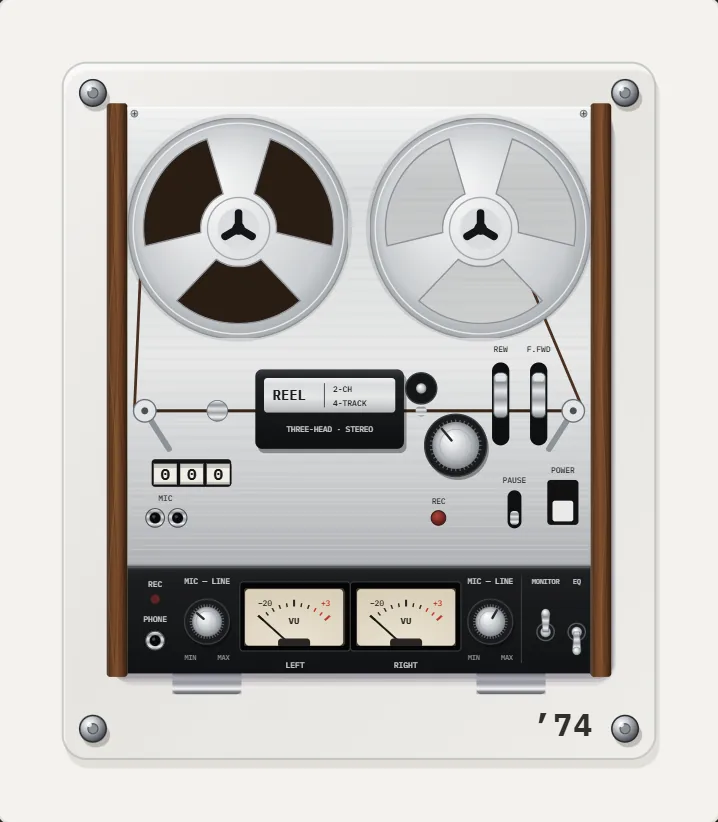
If you mostly want to look at gear, the machines themselves move. On REWIND's cassette decks, the reels turn and the tape visibly moves from one reel to the other, and the 1974 reel-to-reel adds twin VU meters whose needles follow the music.
Are visualizers hard on the battery?
Animated scenes use the graphics chip and the screen, so they drain more than a plain screen. Lower the brightness, use the dim night light, or switch to a simple scene if you plan a long listening session. A visualizer is best on a charging phone on a desk.
Quick answer: Music on Mac has a visualizer under Window, Apple Music on iPhone has none we can find, and REWIND adds 17 backgrounds for your own files.
Frequently asked questions
Does Apple Music have a visualizer?
Yes on Mac: choose Window > Visualizer in the Music app, as Apple's guide describes. We found no audio-reactive visualizer in Apple Music on iPhone as of October 2026.
How do I get a visualizer for Apple Music on iPhone?
Not inside Apple Music. Third-party apps cannot read Apple Music downloads, so use an app that plays your own files, such as REWIND.
How many visualizer backgrounds does REWIND have?
17 animated backgrounds, 7 of them free.
Do REWIND backgrounds react to the music?
Yes. The scenes respond to the audio as it plays.
Can REWIND play Apple Music songs?
No. Apple Music downloads are DRM-protected. REWIND plays files you import.
Keep exploring
Music Visualizer Backgrounds for iPhone Player17 animated scenes that react to your music. Tap to cycle, long-press for the full list. Seven are free.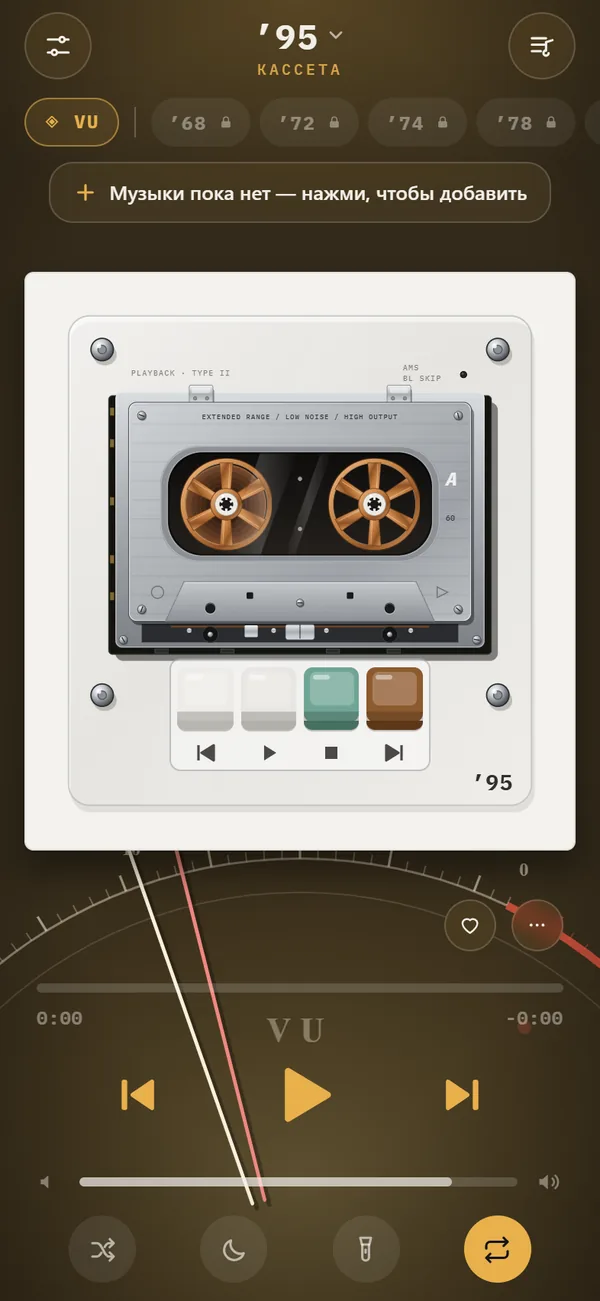 Music Visualizer App for iPhoneHow visualizers began, the main types, and how to choose a music visualizer app for iPhone that reacts to your own files.
 DRM-Protected MusicWhy streaming downloads cannot be imported, and which DRM-free sources work.Where to Buy DRM-Free MusicWhere to get music as files you own: Bandcamp, iTunes, Qobuz, Amazon, Beatport and CD rips, plus how to check a file is DRM-free.
 Night Light ModeScreen stays on, everything except the machine dims. A bedside music box.REWIND vs Apple Music AppApple Music streams a subscription catalog. REWIND plays your own files on retro machines. Different jobs, often used together.