 REWIND
Turntable speed: 33⅓ and 45 rpm, pitch drift and how to test it
A turntable should spin LPs at exactly 33⅓ rpm and singles at 45 rpm, which is one turn every 1.8 seconds and every 1.33 seconds. If it runs fast or slow, pitch shifts with it. Check speed with a stopwatch, a strobe disc or a test-tone record.
Download free on iPhoneSee all 30 machines
8 machines free forever · no account · works offline
What is the correct speed for a turntable?
Speeds are fixed by the record format. LPs turn at 33⅓ revolutions per minute, singles at 45, and old shellac discs at about 78 (Wikipedia: Phonograph record). Converting to time per turn makes testing easy.
| Speed | Seconds per turn | Turns in one minute | Typical record |
|---|---|---|---|
| 33⅓ rpm | 1.80 s | 33.3 | 12-inch LP |
| 45 rpm | 1.33 s | 45 | 7-inch single |
| 78 rpm | 0.77 s | 78 | Shellac 78 |
How does speed error change pitch?
Speed and pitch are locked together on vinyl, so a 1 percent error shifts every note by about 17 cents, a bit under a fifth of a semitone. Trained ears can hear that on a long piano note. An error of 3 percent is about half a semitone, enough to spoil playing along with an instrument.
The difference between standard speeds is large. 33⅓ to 45 is a ratio of 1.35, close to five semitones. Pitch controls on DJ turntables normally shift speed by plus or minus 8 percent, or 10 or 16 percent on some, which is about a semitone and a third at the 8 percent setting.
How can I test turntable speed at home?
There are three practical methods, from rough to accurate.
- Stopwatch: mark the label edge with a dot of tape, play a record, and count turns for 60 seconds. At 33⅓ you should count 33 or 34 turns; for a longer check, count 100 turns, which should take 180 seconds.
- Strobe disc: place a printed stroboscope disc on the platter and light it with a lamp that flickers at the mains frequency, such as the built-in strobe lamp many classic turntables have. Read the row that matches your mains (50 Hz or 60 Hz). A row that appears to stand still is at the right speed.
- Test-tone record: play a record with a pure 3150 Hz tone and measure the frequency with a tuner or analyzer. A deviation of 1 percent is 31.5 Hz, and the same trace shows the wobble as wow and flutter (Wikipedia: Wow and flutter measurement).
The stopwatch method is crude but honest. If you count 32 turns in a minute at 33⅓, the platter is running 4 percent slow.
Why does a turntable run fast, slow or wobble?
- A stretched or glazed drive belt slips and runs slow. A new belt often fixes it.
- Dry or dirty platter bearing adds drag and unsteady speed.
- Wrong belt position on the motor pulley: 33 and 45 use different steps on the pulley.
- Mains frequency differences: some older synchronous motors depend on 50 or 60 Hz power.
- A warped record or an off-center hole makes the stylus swing once per turn, which produces a slow pitch wave of about 0.55 Hz at 33⅓ rpm.
- Failing capacitors or speed-control electronics in older direct-drive models.
Is there an app that checks turntable speed?
Some iPhone apps show a strobe pattern or measure the pitch of a test tone with the microphone. We have not tested them, and any such reading depends on a clean test record and a quiet room. The stopwatch method is often just as good for a first check.
REWIND does not measure turntable speed. It plays your own audio files on virtual machines. Its analog sound settings include a wobble slider that adds gentle wow and flutter on purpose, which can imitate an old, slightly unsteady turntable.
How do I fix a speed problem?
- Clean the platter bearing and the belt path, and replace the belt if it is shiny or stretched.
- Make sure the belt sits on the right motor step for the speed you use.
- Level the turntable and check that the platter spins freely when the motor is off.
- Test again with the stopwatch and an LP with a visible dot.
- Use the pitch control to center the speed, if the player has one, and recheck.
- If a record is warped or its hole is off-center, replace or flatten it. No setting will fix that.
What does the pitch control on a turntable do?
A pitch fader changes platter speed by a set percentage, usually plus or minus 8 percent. DJs use it to match tempos between two records. For home listening, you leave it at zero, and the center click-stop should give the exact speed. If zero is not accurate, use the trim screw on the player to calibrate it with a strobe.
Some players also have 78 rpm and a variable-speed knob for old discs, which is useful when a 78 was recorded a little slow or fast.
Does speed also affect the sound of old records?
Yes. A small drift gives the swimming quality that people link to old vinyl, and the reasons are detailed in what is wow and flutter. Records played at the wrong rpm are covered in can you play any record on any record player. The mechanical difference between drives is in belt-drive vs direct-drive.
Frequently asked questions
How many seconds is one rotation at 33⅓ rpm?
One rotation takes 1.8 seconds. At 45 rpm it takes 1.33 seconds, and at 78 rpm about 0.77 seconds.
How do I know if my turntable is running slow?
Count turns against a stopwatch. 33 or 34 turns in 60 seconds is right at 33⅓ rpm. Fewer than 32 suggests a slipping belt or a drag in the bearing.
Do I need a strobe disc?
Not for casual listening. A stopwatch check shows gross errors, while a strobe disc reveals much smaller drifts and is easy to read.
How much does 1 percent speed error change the pitch?
About 17 cents. That is one sixth of a semitone, small but audible on sustained notes.
Can an iPhone app measure my record player speed?
Some apps use a test tone and the microphone, or a strobe pattern, for a rough reading. REWIND is a music player and does not measure speed.
Keep exploring
 What Is Wow and Flutter? Tape and Vinyl Pitch DriftWhat causes wow and flutter, how it is measured in percent, and how to add a gentle amount back to digital music.
 Belt-Drive vs Direct-Drive TurntablesBelt or direct drive? How each turntable drive works, where each wins, and why DJs settled on the Technics SL-1200.
 Can You Play Any Record on Any Record Player?Size, speed and stylus decide what a turntable can play: 7, 10 and 12 inch discs, 33, 45 and 78 rpm, and what not to try.How Does a Record Player Work? Groove to SpeakerPlatter, stylus, cartridge, preamp: the path from a wavy groove to sound, and how to play a record in six steps.Turntables3 turntables: suitcase, linear-tracking and direct-drive, with scratching and crackle.
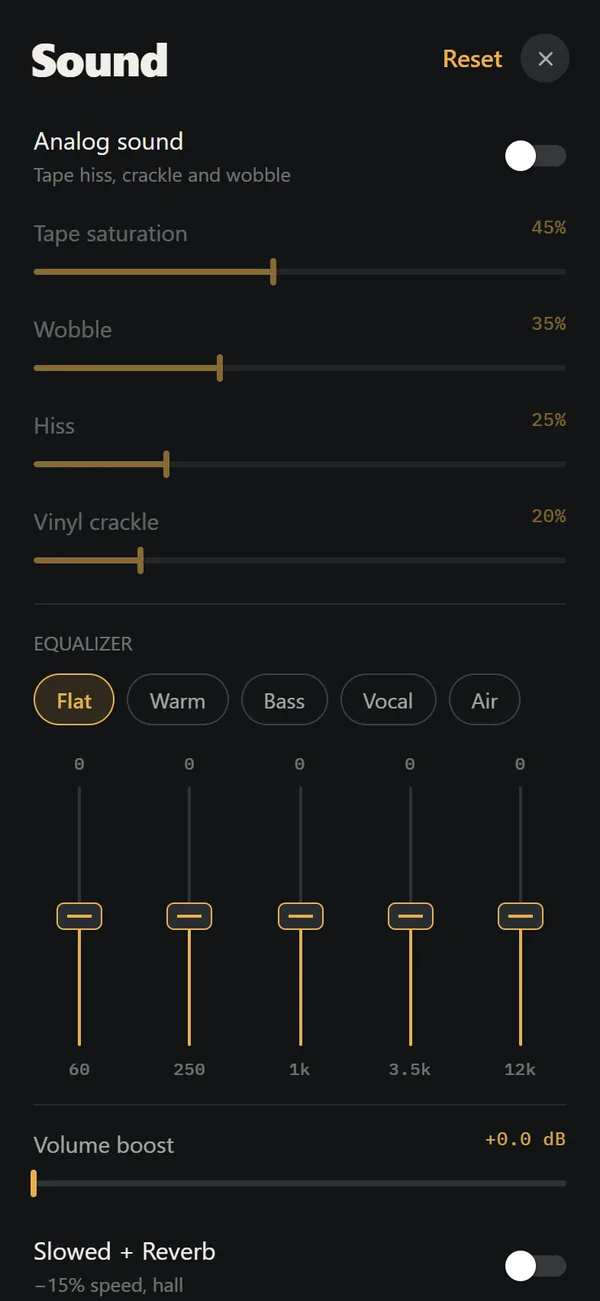 Analog Sound on iPhoneFour sliders (saturation, wobble, hiss, crackle), automatic machine sound and a lo-fi radio filter, live on your own files. Free.