 REWIND
Lo-fi music player app for iPhone: radio, or your own tracks with tape sound?
A lo-fi music player app for iPhone is one of two things: a radio or streaming app that plays ready-made lo-fi tracks, or an offline player that adds tape and vinyl character to your own files. REWIND is the second kind. It adds saturation, wobble, hiss and crackle live. It is not a lo-fi radio or beat maker.
Download free on iPhoneSee all 30 machines
8 machines free forever · no account · works offline
What kinds of lo-fi apps are there?
Listings were checked on the US App Store on October 10, 2026. Ratings and prices change. We have not tested these apps, so the table repeats what their listings say.
| Kind | What it does | Examples from the US App Store, Oct 2026 |
|---|---|---|
| Radio and streams | Plays curated lo-fi beats, usually needs internet | Lola: Stream Lofi Music (Universal International Music, free, 4.8 from 4,029 ratings); Lo-Fi Clouds Radio (free, 4.8 from 324 ratings) |
| Library-based lo-fi players | Wraps Apple Music playlists in a lo-fi look | Lofyee (listing says it is a lo-fi player based on Apple Music; 1 rating) |
| Players with lo-fi effects | Plays your own files and adds tape or vinyl sound | REWIND |
| Lo-fi makers | Lets you produce beats | Not covered here; a different job |
What does REWIND do for lo-fi?
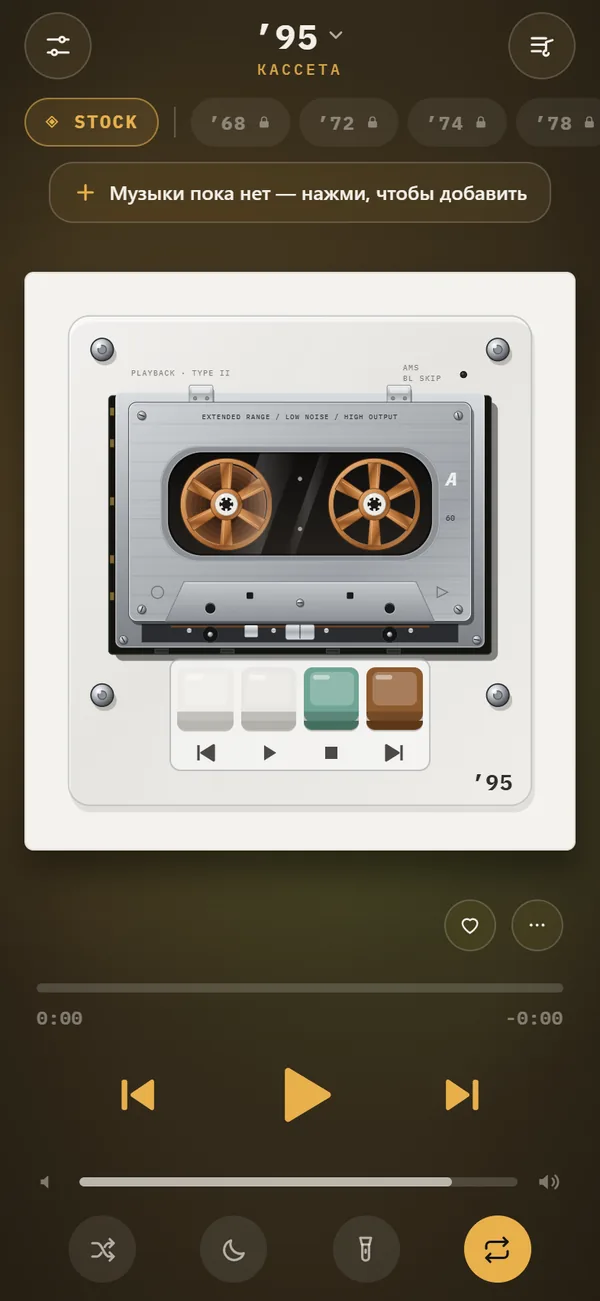
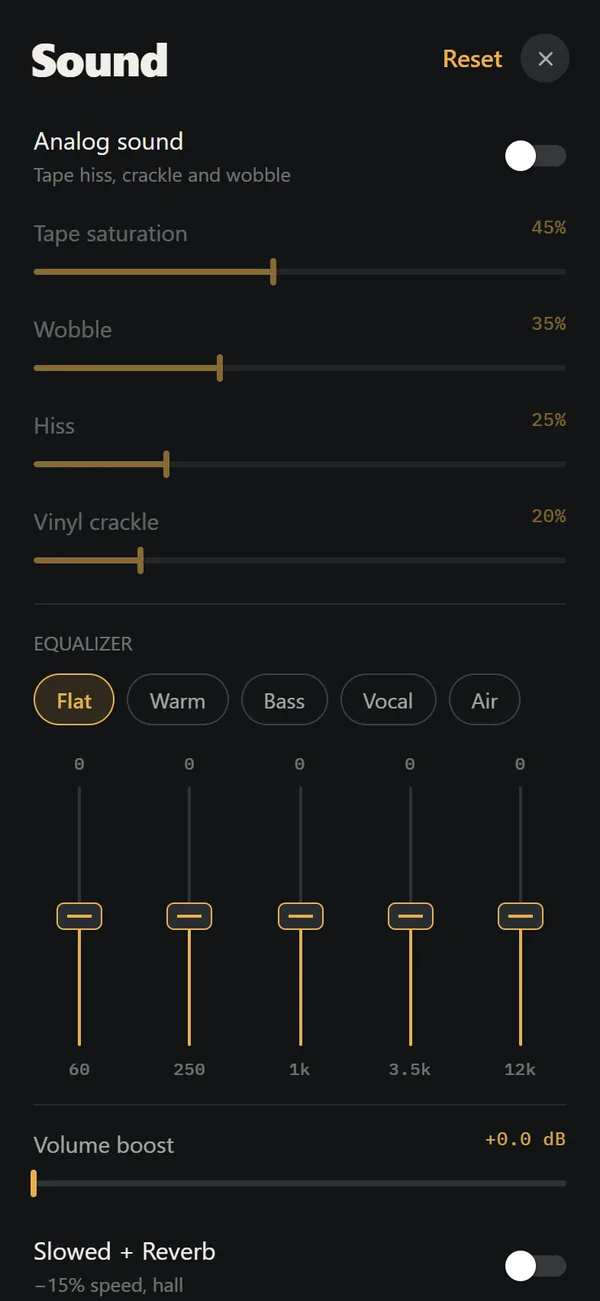
REWIND is an offline player for the audio files you own. Its analog sound switch adds four things you can balance with sliders: tape saturation, wobble (the slow pitch drift called wow and flutter), hiss and vinyl crackle. A five-band equalizer shapes the tone, with presets Flat, Warm, Bass, Vocal and Air. All of it runs on the phone in real time, and the mechanical clicks and tape sounds are synthesized on the device, so no connection is needed.
Two more free controls help. Machine sound gives each machine its own warm profile automatically, and lo-fi radio narrows the sound to about 420 Hz to 3.2 kHz, like an old receiver. Despite the name, it is a filter, not a radio station. REWIND will not play Apple Music or Spotify tracks, so your lo-fi has to come from files you have: purchases, downloads, CD rips or your own recordings.
Which machines suit the lo-fi sound?
Almost any of them, but a few feel right. A pocket cassette player (10 of them, from 1987 to 1997) gives the classic bedroom sound. The 1974 reel-to-reel and the 1978 hi-fi deck show the tape moving from one reel to the other. The 3 turntables pair naturally with vinyl crackle. See the cassette player, reel-to-reel and vinyl record player pages.
8 machines are free, including cassette machines. The deck, reel-to-reel and turntables need PRO.
How do you build a lo-fi playlist from your own files, step by step?
- Collect the tracks. Use purchased downloads from artists and stores that sell lo-fi, ambient and instrumental hip hop, plus CD rips. A good place to start is where to buy DRM-free music.
- Copy them to the Files app.
- Import the folder into REWIND.
- Create a mixtape, a playlist with a handwritten-style label, and add the tracks. The free version includes one mixtape, and PRO has unlimited ones.
- Open the sound controls and switch on analog sound (or machine sound for automatic settings). Start low: a little saturation and hiss, some wobble. Add lo-fi radio for the thin, small-speaker tone.
- Pick the Warm equalizer preset and lower the treble a little.
- Choose a calm background. Wave, vu and notes are free, and the synth horizon scene is PRO.
- Set the sleep timer for 30 or 60 minutes if you listen in bed.
How much effect is too much?
Start low. A light layer of hiss and a little wobble is enough to make a clean track warm. Heavy wobble sounds like a broken tape, and high crackle can drown quiet music. Test with headphones, because speakers hide the details. If a track already sounds lo-fi, turn the effects down or off.
Should you use a lo-fi radio app instead?
Radio and streams are good for discovery and background listening, but they need a connection, you get what the station plays, and you cannot add your own tracks. A player is the opposite: you choose the music, it plays offline, and it adds the sound you want. If you already own albums that fit the mood, such as instrumental hip hop, ambient records and old demos, a player turns them into your own lo-fi station.
The two are not exclusive. Many people keep a radio app for background listening and a player for the albums they love. If you are unsure what lo-fi is, read what is lo-fi music.
What are the best background and sleep settings?
- Sleep timer: 15, 30, 45, 60 or 90 minutes. Pick 30 or 60 for bedtime.
- Night light: the screen stays on but everything except the machine dims. Useful on a desk.
- Accent color: choose a muted color so the app blends with the room.
- Lock screen controls: skip or pause without waking the phone.
- Leave the PRO volume boost (up to +9 dB, with a limiter) off for night listening.
What kind of tracks work well?
Tracks with space in them respond best. Instrumental hip hop, solo piano, acoustic guitar, jazz trios and soft electronic music take tape saturation and crackle without losing detail. Dense, loud masters, such as modern rock and heavily compressed pop, lose clarity quickly, so keep the effects low or switch analog sound off for them.
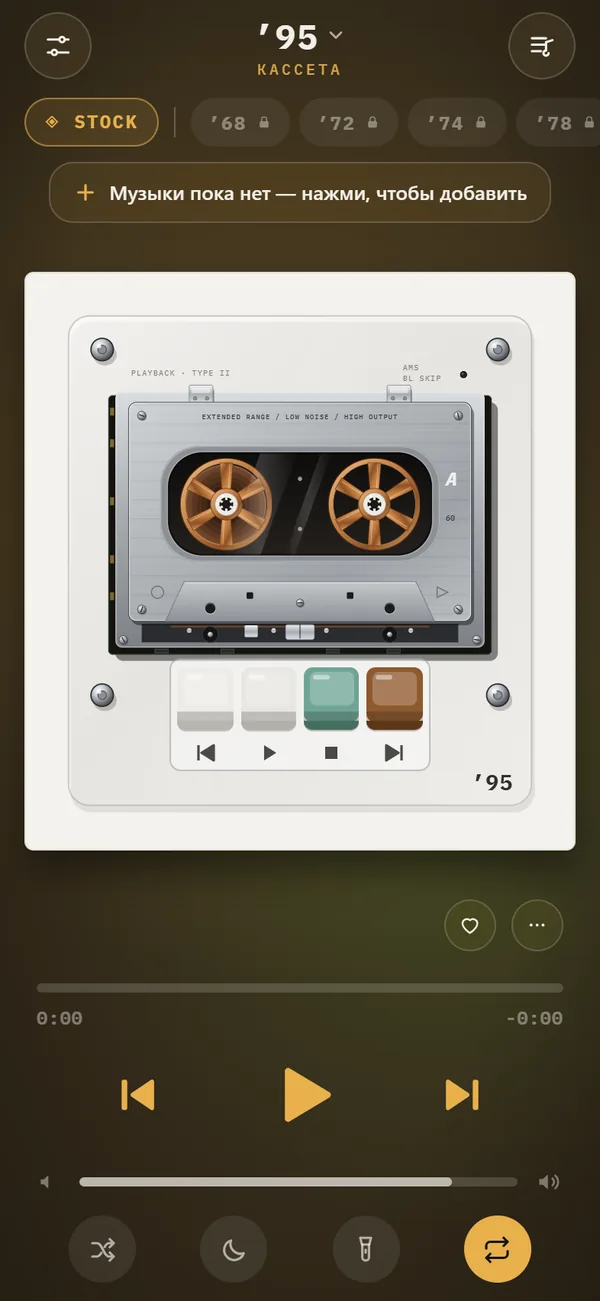
For a slower, deeper mood, try REWIND’s Slowed + Reverb switch (PRO). It lowers the speed by 15 percent, which also lowers the pitch, and adds reverb you can deepen with the reverb depth slider. Combined with a light tape effect and the Warm preset, it makes a classic late-night sound. The equalizer page covers the five bands: 60 Hz, 250 Hz, 1 kHz, 3.5 kHz and 12 kHz.
What are the limits?
- iPhone only.
- No streaming, radio or generated music.
- Not bit-perfect or hi-res.
- Slowed + Reverb, Sped up, reverb depth, 8D audio, the volume boost and most machines need PRO.
- No account, no ads and no data collection, so nothing syncs between phones.
Want radio? Use a radio app. Want your own tracks with a cassette glow? Use a player with analog sound.
Frequently asked questions
What is the best lo-fi music player app for iPhone?
For ready-made lo-fi streams, a radio app. For your own tracks with tape and vinyl effects, an offline player such as REWIND.
Does REWIND play lo-fi music?
It plays any audio files you import and can add saturation, wobble, hiss and vinyl crackle to them. It does not include lo-fi tracks or stream radio.
Is there a lo-fi music app that works offline?
Yes, an offline player with your own files works with no connection. Radio apps need internet.
Can I make lo-fi beats in REWIND?
No. REWIND is a player. It does not record, sequence or generate beats.
Is the lo-fi sound free in REWIND?
Yes. Analog sound, machine sound, lo-fi radio and the equalizer are free. Slowed + Reverb, Sped up, reverb depth, 8D audio and the volume boost are PRO.
Keep exploring
 Analog Sound on iPhoneFour sliders (saturation, wobble, hiss, crackle), automatic machine sound and a lo-fi radio filter, live on your own files. Free.
 What Is Lo-Fi Music? Hiss, Crackle and ImperfectionWhat lo-fi music means, where the term came from, which sounds define it and how to get the lo-fi sound from your own files.
 Why Old Music Sounds WarmTape saturation, vinyl limits, tube harmonics and the ear itself: the causes of warm sound, and how much of it is taste.
 Slowed + Reverb, Sped Up and 8D Audio on iPhoneSlowed, Sped up, reverb depth from room to cathedral and 8D audio, live on your own files. REWIND PRO.Cassette players10 pocket cassette machines with turning reels, swipe-to-wind and tape stop.Music Visualizer Backgrounds for iPhone Player17 animated scenes that react to your music. Tap to cycle, long-press for the full list. Seven are free.