 REWIND
Mixtape ideas and examples: 25 themes, a track order and label tips
A good mixtape has a reason, a length and an order. Pick a theme, keep each side near 45 minutes for a C90 or 30 for a C60, open strong, put a slow song third and end side A on a high. Then write the label by hand. Twenty-five theme examples are below.
Download free on iPhoneSee all 30 machines
8 machines free forever · no account · works offline
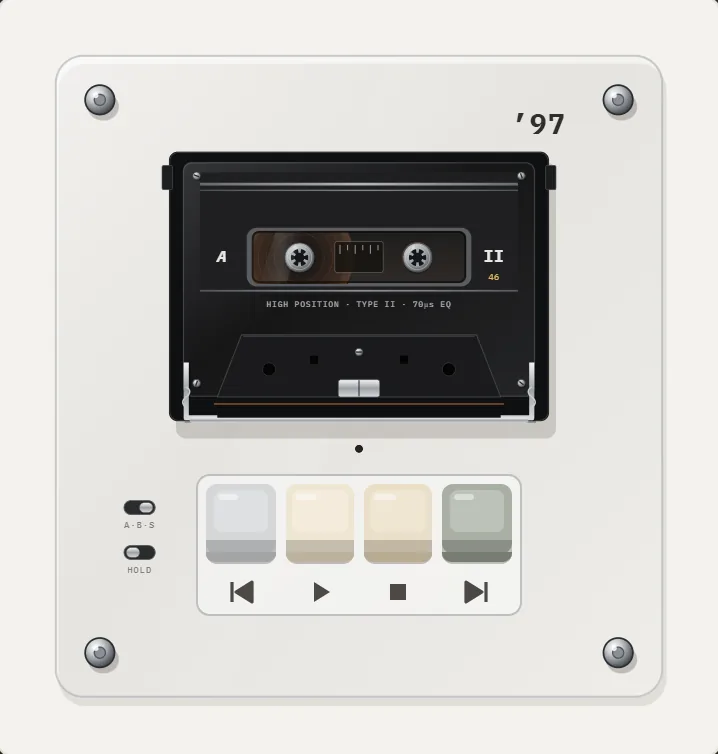
What is a mixtape, and where does the idea come from?
A mixtape, in the older sense, is a homemade compilation of songs on a cassette tape. The idea took shape in the early 1970s, when hip-hop DJs distributed recordings of their club sets on cassette. It spread through the 1980s as the Walkman made cassettes personal. In the 1990s mixtapes moved to CD burners and MP3 players (Wikipedia: Mixtape).
Today the word also names an informal release by a musician, which is a different thing. This guide is about the personal kind, a collection you make for yourself or for someone else.
How long should a mixtape be?
The classic limit was the cassette. A C90 holds 45 minutes per side, a C60 holds 30, and a C46 holds 23. At an average of three and a half minutes per song, a C60 side fits eight or nine songs and a C90 side twelve or thirteen. Even for a playlist with no limit, a length is a good discipline: it forces you to choose.
| Tape | Per side | Songs per side (about 3.5 min) | Total songs |
|---|---|---|---|
| C46 | 23 min | 6 to 7 | 12 to 14 |
| C60 | 30 min | 8 to 9 | 16 to 18 |
| C90 | 45 min | 12 to 13 | 24 to 26 |
How do I order the songs?
- Open with a song that sets the tone but does not give everything away. Not necessarily your biggest hit.
- Put a familiar song second so the listener feels welcome.
- Place the first slow song third or fourth, not first.
- Alternate energy: two fast songs, one slow, one quiet, one fast. Avoid three similar songs in a row.
- End side A on a high point that makes people flip the tape.
- Start side B with a change of mood, build the middle, and close on a song that sounds like an ending.
Test by playing it in the car or on a walk, not at your desk. Order is felt in motion.
25 mixtape theme ideas
A theme makes picking easy. These work for gifts, for yourself or for friends.
- Songs for a long drive at night
- A year in songs: one track per month
- Your first concert and everything near it
- Rainy day songs
- Songs to finish a project to
- Opening tracks only
- Last tracks only
- Cover versions and the originals
- Songs with a place in the title
- Songs under two minutes
- The summer you turned sixteen
- A road trip across one country
- Love songs that are not love songs
- Instrumentals for working
- A friend's greatest hits, picked by you
- Songs your parents played
- The sound of one month of 1995
- Slow songs for a long dinner
- Songs for waking up
- Songs for a party with no skips
- Breakup, in order of the stages
- New discoveries from this year
- Songs that mention weather
- Gym at 150 bpm
- Songs you could not say out loud
How do I label it?
The label is half the gift. Use a fine pen. Write the title, the date or the occasion, the track list in order with a line break between sides, and a short dedication. If you have no space, write the title on the spine and the list on the insert card. Hand lettering is the point: print would lose the feeling.
Some people add a tiny rule at the top: Play loud, Play in the dark, Rewind twice. A rule turns the tape into a ritual.
How do I make a mixtape on iPhone?
REWIND has mixtapes: playlists with a handwritten-style label you write yourself. The free version includes one tape, and PRO allows unlimited tapes. Pick songs from your own audio files, put them in order, write the label and play the tape on any machine you like, such as a cassette player. The step-by-step is in make a mixtape on iPhone, and the mixtapes feature page shows what you can do. REWIND does not record to a real cassette.
Three example mixtapes with track logic
Example 1, Night Drive (C60, 16 songs): side A opens with a mid-tempo instrumental, then two steady rock songs, a ballad at track four, and ends on a long build. Side B opens with a change of key and mood, builds back, and finishes with a quiet song that lets the drive end.
Example 2, A Year in Songs (C90, 24 songs): two songs per month, ordered by calendar. Side A is January to June, and side B is July to December. The label lists months, and the final song is the one you were listening to when the year finished.
Example 3, Songs Under Two Minutes (C46, 18 songs): fast, short songs, one after another, with a slow one placed exactly in the middle. The interest is the pace, and the label says so.
Should a modern playlist follow the same order?
Yes. A playlist has no side flip, but you can mark the halfway point with a quiet song or a short track, as if the tape had turned over. Keep the whole thing under 90 minutes, or the effect fades. For ideas on dressing up the rest of the phone to match, see aesthetic retro iPhone setup.
Frequently asked questions
What should I put on a mixtape?
Songs that share a reason: a mood, a trip, a person or a year. A reason makes choosing easier and the result feels intentional.
How many songs fit on a mixtape?
A C60 holds about 16 to 18 songs and a C90 about 24 to 26, at roughly three and a half minutes each.
What order should mixtape songs be in?
Open with a strong song, put a slow one third, keep the energy alternating, end side A on a high and close side B on something that sounds like an ending.
What is a good mixtape gift?
A short one with a clear theme and a handwritten label. Twelve songs chosen for the person beat a long playlist.
Can I make a mixtape on my iPhone?
Yes. In REWIND you can build a tape from your own files and write its label by hand. The free version includes one mixtape.
Keep exploring
 Make Mixtapes on iPhone with Handwritten LabelsPlaylists with a label you write yourself. One tape is free, unlimited with PRO.How to Make a Mixtape on iPhone, With a Handwritten LabelHow the mixtape tradition worked, and a step-by-step way to build one on iPhone with sequencing tips and a handwritten label.
 Cassette players10 pocket cassette machines with turning reels, swipe-to-wind and tape stop.History of the Compact CassetteFrom a pocket-sized dictation tape in 1963 to the Walkman era and the modern revival: the dated history of the Compact Cassette.
 Why Cassettes Are BackReal numbers on the cassette revival: US and UK sales, who still makes tape, why people buy it, and what it cannot do.
 Aesthetic Retro iPhone SetupA practical recipe for a retro iPhone setup: choose an era, match colors, pick a machine and scene, and keep it usable.